Claude Code with Jev: Set Up Per-Turn Model Routing
Install Jev Router for Claude Code, configure a TypeSafe key, and check which model handled each turn. Includes Windows, macOS, Linux, and Codex commands.
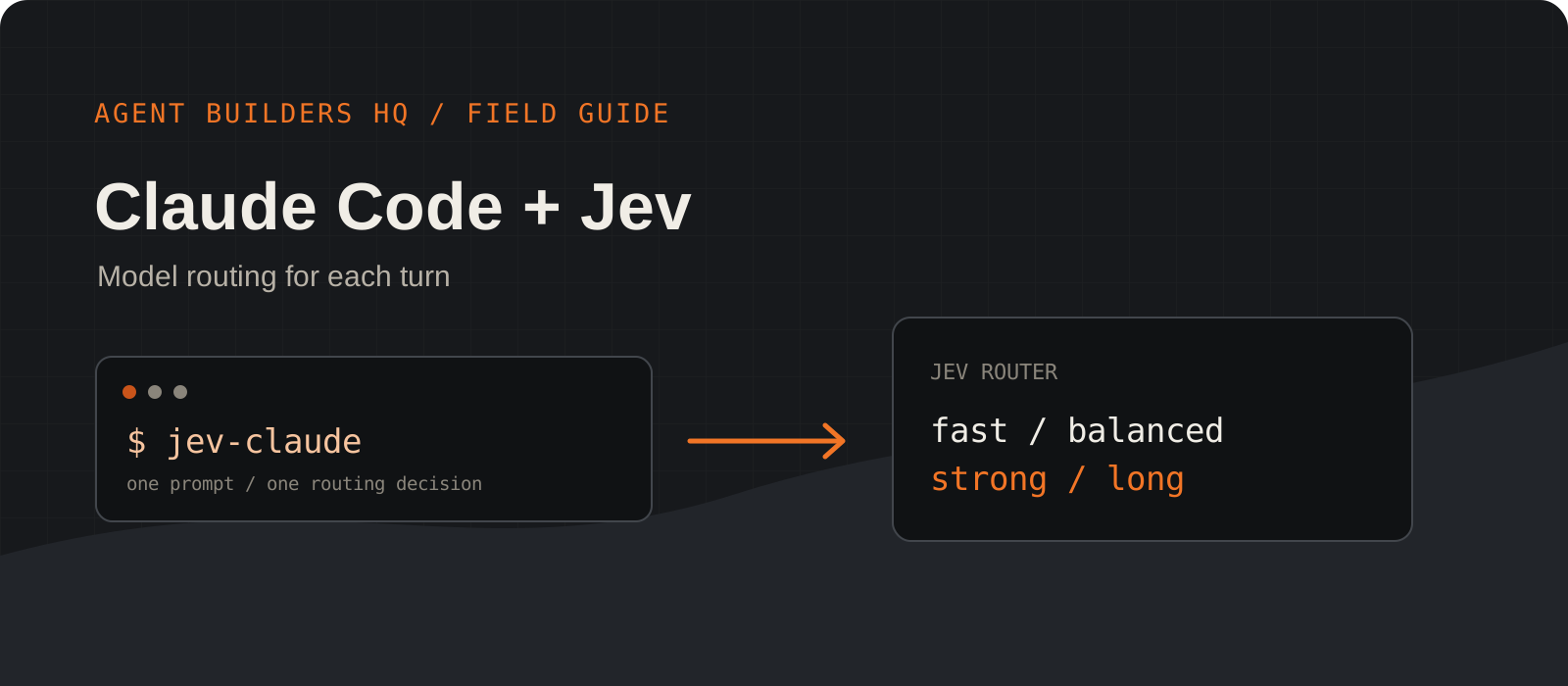
Jev Router lets Claude Code choose a model tier for each new user turn. Jev, TypeSafe AI's decision model, makes that choice; Claude Code still runs the tools and answers the request. Here is a short setup you can try in an existing repository, followed by checks that show whether routing actually happened.
System requirements
Runtime
Node.js 20.12 or newer
This is the minimum declared by the jev-router package. Check with node --version before installing.
Coding CLI
Claude Code installed and signed in
The launcher starts your existing Claude Code CLI. Sign in with claude login first. Codex is optional.
Routing key
A TypeSafe AI key
Get a key from TypeSafe and provide it as JEV_API_KEY or TYPESAFE_API_KEY. Keep it outside your repository.
Network and cost
Internet and provider access required
Jev and the selected coding models are hosted. Your existing Claude account or subscription still needs access to the selected models; provider limits and charges can apply.
Check Node and sign in to Claude Code
Confirm the two prerequisites before installing the wrapper.
Run the version and login commands in your terminal. If Node reports a version below 20.12, update Node first. Install Claude Code using Anthropic's setup guide if the claude command is missing.
The router forwards Claude Code's existing authentication. A TypeSafe key is still needed for Jev's decision request, but you do not need to add a separate Anthropic API key when your Claude Code login already works.
node --version
claude loginnode --version
claude loginInstall Jev Router
The npm package adds the jev-claude and jev-codex launch commands.
Install the published jev-router package globally. The router runs locally as a loopback proxy while the coding CLI is open. The command itself does not replace your existing claude executable.
npm install -g jev-routerAdd your TypeSafe key
Put the key in the user-level router file, away from your project files.
Open the file shown for your platform and add a single line in the form JEV_API_KEY=your-key. Replace your-key with the real value from TypeSafe. The launcher also accepts TYPESAFE_API_KEY if you already use that name.
The commands open an editor instead of placing the secret on the command line. On macOS and Linux, restrict file access after saving it. Do not commit the key or include it in a bug report.
JEV_API_KEY=your-keynotepad "$HOME\.jev-router.env"${EDITOR:-vi} "$HOME/.jev-router.env"
chmod 600 "$HOME/.jev-router.env"${EDITOR:-vi} "$HOME/.jev-router.env"
chmod 600 "$HOME/.jev-router.env"Start Claude Code through Jev
Run jev-claude in the repository where you want to work.
The wrapper starts the real Claude Code CLI. Its tools, permission prompts, keybindings, and sessions still work as usual. CLI arguments pass through, including --resume and -p.
In Claude Code's /model picker, choose Jev Router to enable routing. Choosing a concrete model pauses routing for that conversation. Select Jev Router again to resume it.
jev-claude
# Or pass Claude Code arguments:
jev-claude --resume
jev-claude -p "fix the failing test"Verify the model used for a turn
Check the status line after sending a prompt.
The injected Claude Code status line shows the last routed model and Jev's confidence. For example, a small task might show haiku with p=0.98. This is an illustration, not a promised model choice for your prompt.
If you need more detail, run /jev-explain inside jev-claude. It shows the saved routing factors for the session. JEV_DEBUG=1 also writes routing details to a local log. An existing custom status line is preserved; set JEV_NO_STATUSLINE=1 if you want to suppress Jev's line.
⚡ haiku p=0.98 · my-project · 8% context$env:JEV_DEBUG = "1"
jev-claudeJEV_DEBUG=1 jev-claudeHow the routing works
codex login
jev-codex
jev-codex exec "fix the failing test"
The wrapper starts a proxy on your own machine and points Claude Code at it. On a fresh user turn, the proxy asks Jev for a tier, then forwards the model request to Anthropic. Tool-loop requests keep the tier selected at the start of that turn. If Jev fails or times out, the router keeps the current model and lets the CLI continue.
The same package includes jev-codex. Once Codex is installed and signed in, run jev-codex or forward normal arguments such as jev-codex exec "fix the failing test". Codex shows each decision as commentary instead of a Claude status line.
The trade-offs worth knowing
- Privacy: the text of each new user turn goes to TypeSafe for classification. Check your team's data rules before using it with sensitive prompts.
- Cost: Jev usage and the selected Claude or Codex model may have separate charges or subscription limits. Automatic routing does not include model access.
- Latency: a Jev decision adds time at the start of each routed turn. Tool-loop requests reuse that decision.
- Control: an explicit model request in a prompt or a concrete choice in /model can override automatic routing.
- Compatibility: Claude Code and Codex request formats can change. If a CLI update affects routing, inspect the local debug log and check the router's upstream issue tracker.
I would try Jev Router for a day of ordinary coding work and inspect the selected tiers before adopting it across a team. It is useful when tasks vary widely in difficulty and you want less manual model switching. For sensitive repositories or incidents where a specific model is required, choose that model explicitly.
Frequently asked questions
Does Jev write code instead of Claude Code?+
No. Jev chooses a model tier. Claude Code runs the coding session and produces the answer.
Do I need another Anthropic API key?+
An existing authenticated Claude Code login is enough for the upstream CLI when your account has model access. Jev routing still needs a TypeSafe key.
How do I turn routing off for one task?+
Name a supported model or tier in that prompt. You can also choose a concrete model in Claude Code's /model picker; reselect Jev Router to resume automatic routing.
Does this work offline?+
No. The local wrapper calls hosted Jev and the chosen coding model provider.
Why does Claude Code show Jev Router in the model picker?+
The picker shows the routing entry. The status line reports the model used for the last routed turn. Use /jev-explain or JEV_DEBUG=1 for more detail.