How to Use GBrain in Claude and ChatGPT for Context Sharing: One Memory for Every AI Tool
Tired of re-explaining your project every time you switch from ChatGPT to Claude? GBrain, Garry Tan's open-source memory layer, gives your AI tools one shared brain over MCP. What it is, how it works, and how to connect it to Claude Code, Claude Desktop and ChatGPT.
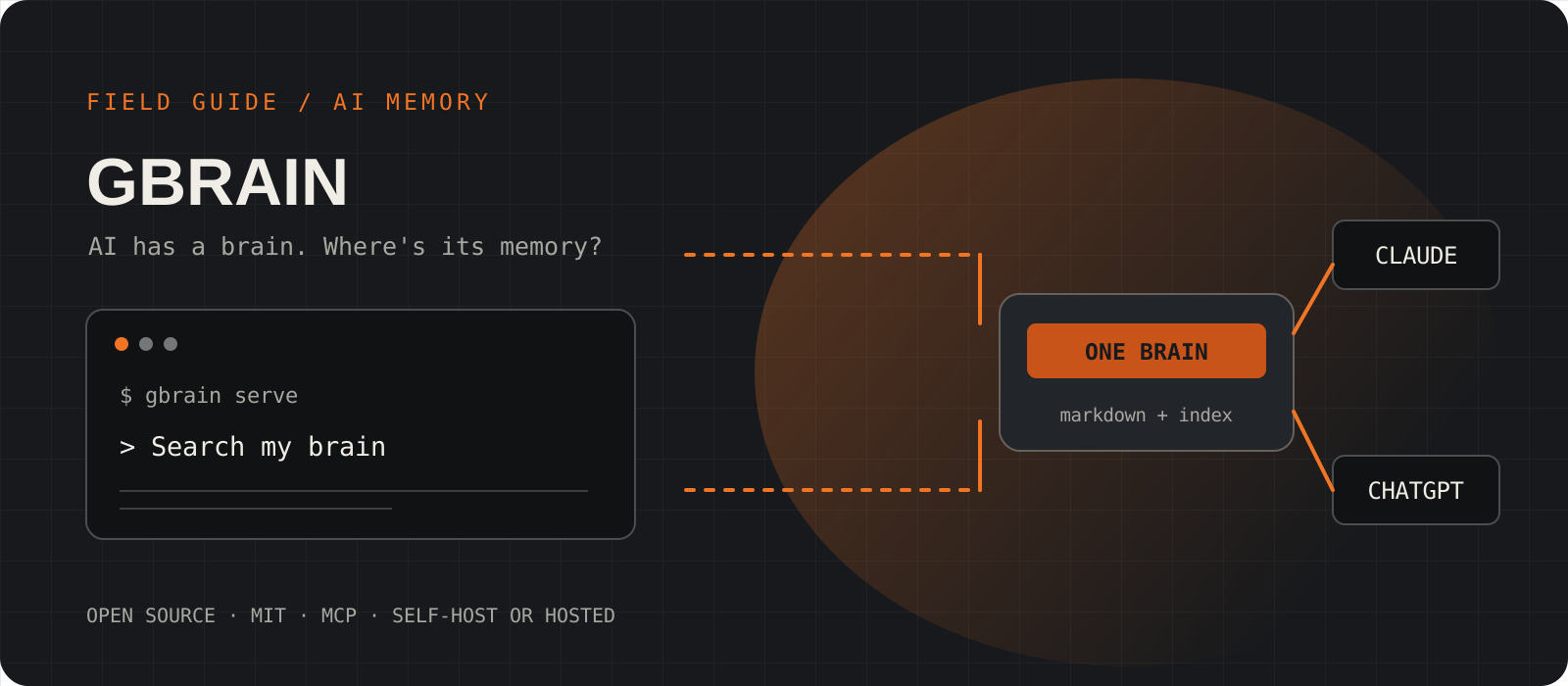
AI has a brain, but where is its memory? You spend twenty minutes explaining your project to ChatGPT: the stack, the customers, the decision you made last week and why. Then you open Claude for a second opinion and have to explain everything again. GBrain is built to fix exactly that. It is an open-source, MIT-licensed memory layer released by Y Combinator CEO Garry Tan in April 2026. It stores what your agents should remember as plain Markdown pages, indexes them for search, and serves them over MCP, so any connected tool (Claude Code, Claude Desktop, ChatGPT, Cursor, Codex) reads from and writes to the same brain. Start a project in ChatGPT, continue it in Claude, and the context comes with you. This guide explains what GBrain is, how it works, and how to set it up yourself or use the hosted option.
System requirements
Runtime
Bun 1.4.4 or newer
GBrain installs through Bun or git. It is not published on npm, and an unrelated npm package called gbrain can shadow the real binary, so do not npm install it.
Storage
PGLite (default) or Postgres with pgvector
PGLite runs Postgres in WASM with zero configuration, which is ideal for one person. Use Postgres or Supabase for large or shared team brains.
Clients
Any MCP client
Claude Code and Claude Desktop can use a local server. ChatGPT runs its connectors in OpenAI's cloud, so it needs a public HTTPS URL and Developer mode enabled.
Cost
Free to self-host; gbrain.io is optional paid hosting
The software is MIT-licensed. Embedding or reranking providers you configure may charge separately. Keyless mode (--no-embedding) works without any API key.
Install GBrain from the official repository
Install the latest stable release with Bun, directly from github.com/garrytan/gbrain.
Several mirrors and forks of GBrain exist. Install from Garry Tan's repository and read its README for the current commands; this project moves quickly.
bun install -g github:garrytan/gbrain#latest-stable
gbrain --help
Tip
If gbrain runs something unexpected, check which gbrain. A global npm package with the same name is the usual culprit.
Create your brain and import your notes
Initialise a local brain, pull in the notes you already have, then health-check it.
--pglite gives you a zero-config local database and --no-embedding keeps the setup keyless. Import any folder of Markdown: project docs, meeting notes, a decision log. Each file becomes a page with frontmatter, facts and links that agents can search.
The Markdown repo is the source of truth. The database is an index that can be rebuilt from it, so keep the Markdown in git.
gbrain init --pglite --no-embedding
gbrain import ~/notes/ --no-embed
gbrain doctorConnect GBrain to Claude Code
One setup command registers the MCP server and adds brain-first instructions so Claude actually uses it.
gbrain setup claude-code registers gbrain serve as a local stdio MCP server and tells the agent to check the brain before reaching for external sources. That instruction matters: agents rarely call a memory nobody told them about. If you prefer to register the server by hand, use claude mcp add.
gbrain setup claude-codeclaude mcp add gbrain -- gbrain serveclaude mcp add --transport http --scope user gbrain https://gbrain.io/mcpTip
Codex users can run gbrain setup codex instead.
Connect GBrain to Claude Desktop
Use the config file for a local brain, or the Integrations screen for a remote one.
For a brain on the same machine, add a stdio entry to claude_desktop_config.json that runs gbrain serve.
For a brain on another machine, publish it with gbrain mcp expose (tailnet-only by default) and add the printed URL, ending in /mcp, under Settings > Integrations > Add Integration. Claude Desktop does not read remote servers from the config file; putting one there fails silently.
{
  "mcpServers": {
    "gbrain": { "command": "gbrain", "args": ["serve"] }
  }
}gbrain mcp expose
gbrain mcp expose --statusConnect GBrain to ChatGPT
ChatGPT connectors run in OpenAI's cloud, so expose the brain on a public HTTPS URL and connect with OAuth.
Publish the server with Tailscale Funnel (--funnel). A tailnet-only URL is not reachable from OpenAI. ngrok or a cloud host also work; follow the OAuth 2.1 section of the deploy guide.
Copy the redirect URI from ChatGPT's connector setup screen and register a ChatGPT client with the memory-writer profile. Run it with --dry-run first, review it, then run it for real.
In ChatGPT, enable Developer mode under Settings > Security and login, create a developer-mode app, choose OAuth and enter your /mcp URL plus the client details. If GBrain asks for owner approval, the admin generates a login link with gbrain mcp admin login-link and approves it privately.
gbrain mcp expose --funnelgbrain mcp admin register chatgpt \
--redirect-uri 'EXACT_REDIRECT_URI_FROM_CHATGPT' \
--token-endpoint-auth-method none \
--profile memory-writer --source default \
--url https://your-machine.your-tailnet.ts.net/mcp \
--admin-token-file /absolute/private/admin-token --dry-run --jsongbrain mcp admin setup CLIENT_ID --harness chatgpt --flow authorization-codeTip
Never paste the owner bootstrap or admin token into ChatGPT. Give each client its own scoped credential.
Test the hand-off: start in ChatGPT, finish in Claude
Prove the shared memory works end to end before you rely on it.
In ChatGPT, describe a project and ask it to save a summary and the key decisions to your brain. Then open a fresh Claude conversation and ask: "Search my brain for that project and tell me where we left off." You should see a real GBrain tool call and a cited answer, with no re-explaining. Tool calls also show up in the /admin dashboard's live feed.
gbrain search "project name"
gbrain think "What did we decide about pricing?"
The problem: every AI tool starts from zero
Chat assistants have impressive reasoning but short memories. ChatGPT's memory lives inside ChatGPT. Claude's project knowledge lives inside Claude. Cursor and your coding agent know only what is in the repo. Switch tools and you rebuild context by hand, and each copy drifts. GBrain moves memory out of any one vendor and into a store you own, which every tool reaches through the same open protocol, MCP.
What is GBrain?
GBrain is an MIT-licensed memory engine for AI agents, built by Garry Tan to run his own agents. He reports it powers his OpenClaw and Hermes deployments with well over a hundred thousand pages on people, companies and projects. Its pitch is simple: give the agent you already use a memory you control.
- Pages: Markdown files with frontmatter, timelines and facts, typed by a schema pack (the default, gbrain-base-v2, has 15 page types).
- Hybrid search: vector plus keyword retrieval fused with RRF and reranked. gbrain search returns pages; gbrain think returns a synthesised answer with citations and notes on what is missing.
- Knowledge graph: links between people, companies and projects are extracted as pages are written.
- Dream cycle: an overnight background job (gbrain dream) that enriches entities, merges duplicates, fixes citations and consolidates memory.
- Ingestion: files, conversations and connectors such as Gmail, Calendar, Slack and meeting notes.
How context sharing between Claude and ChatGPT works
| Without GBrain | With GBrain |
|---|---|
| Re-explain your project in every tool | Ask any tool to search your brain |
| Memory locked inside each vendor | Markdown you own, in git |
| Copies of context drift apart | One source of truth, cleaned up nightly |
| Switching assistants loses history | Start in ChatGPT, continue in Claude |
Both Claude and ChatGPT speak MCP, the Model Context Protocol. GBrain runs as an MCP server and exposes memory verbs such as searching, reading and writing pages. When ChatGPT saves a decision, it writes a page to your brain. When Claude later searches, it reads that same page. Neither assistant stores the memory; the brain does. Add Cursor or Codex and they join the same memory with no extra copying.
Self-host or use the hosted option?
Self-hosting is free and keeps everything on your hardware, but you keep the server online and handle tunnels, OAuth and backups yourself. The optional paid service at gbrain.io runs a brain for you or your team with nothing to install, already connected to ChatGPT, Claude and Cursor; you choose a plan in the browser. Third-party hosts also exist; they are not affiliated with the project, so read their terms before trusting them with your notes.
Privacy and security: what to know first
- Recalled memory is sent to whichever model you are chatting with, even in keyless mode. Do not store anything you would not paste into that assistant.
- Embedding, reranking and synthesis providers you configure receive text. Keyless mode avoids that.
- Give every client its own scoped token or OAuth client. Never hand out the admin or bootstrap credential.
- A Markdown export is not a full database backup. Back up the database separately if you keep data only there.
- Prefer tailnet-only exposure. Use --funnel only for clients, like ChatGPT, that must reach the brain from the public internet.
If you bounce between ChatGPT, Claude and a coding agent every day, GBrain is worth an afternoon. Start keyless with PGLite and Claude Code, import one project's notes, and confirm the brain-first lookup actually saves you re-explaining. Add ChatGPT once you are comfortable running a public, OAuth-protected endpoint, or let gbrain.io run it for you. It is young and fast-moving, so pin to latest-stable and read the official docs before each upgrade.
Frequently asked questions
What is GBrain?+
GBrain is an open-source, MIT-licensed memory layer for AI agents created by Y Combinator CEO Garry Tan. It stores knowledge as Markdown pages, indexes them for hybrid search, and serves them to AI tools over MCP.
Can Claude and ChatGPT share the same memory with GBrain?+
Yes. Both connect to the same GBrain MCP server. A page written from ChatGPT can be searched and read from Claude, and the other way round, so you do not have to re-explain your project when you switch tools.
Is GBrain free?+
Self-hosting is free under the MIT licence. gbrain.io is an optional paid hosted service. Model or embedding providers you configure may charge separately.
Why does ChatGPT need a public URL when Claude Code does not?+
Claude Code can launch GBrain locally as a stdio process. ChatGPT's connectors run in OpenAI's cloud, so they can only reach a brain exposed on a public HTTPS URL, for example with gbrain mcp expose --funnel, protected by OAuth.
Can I install GBrain with npm?+
No. GBrain is distributed through Bun or git from github.com/garrytan/gbrain. An unrelated npm package uses the same name.