Odysseus AI Setup: Self-Host Your First Chat on Windows, macOS, or Linux
Learn what Odysseus AI does, install its curated branch, connect a local model, and keep your first workspace private.
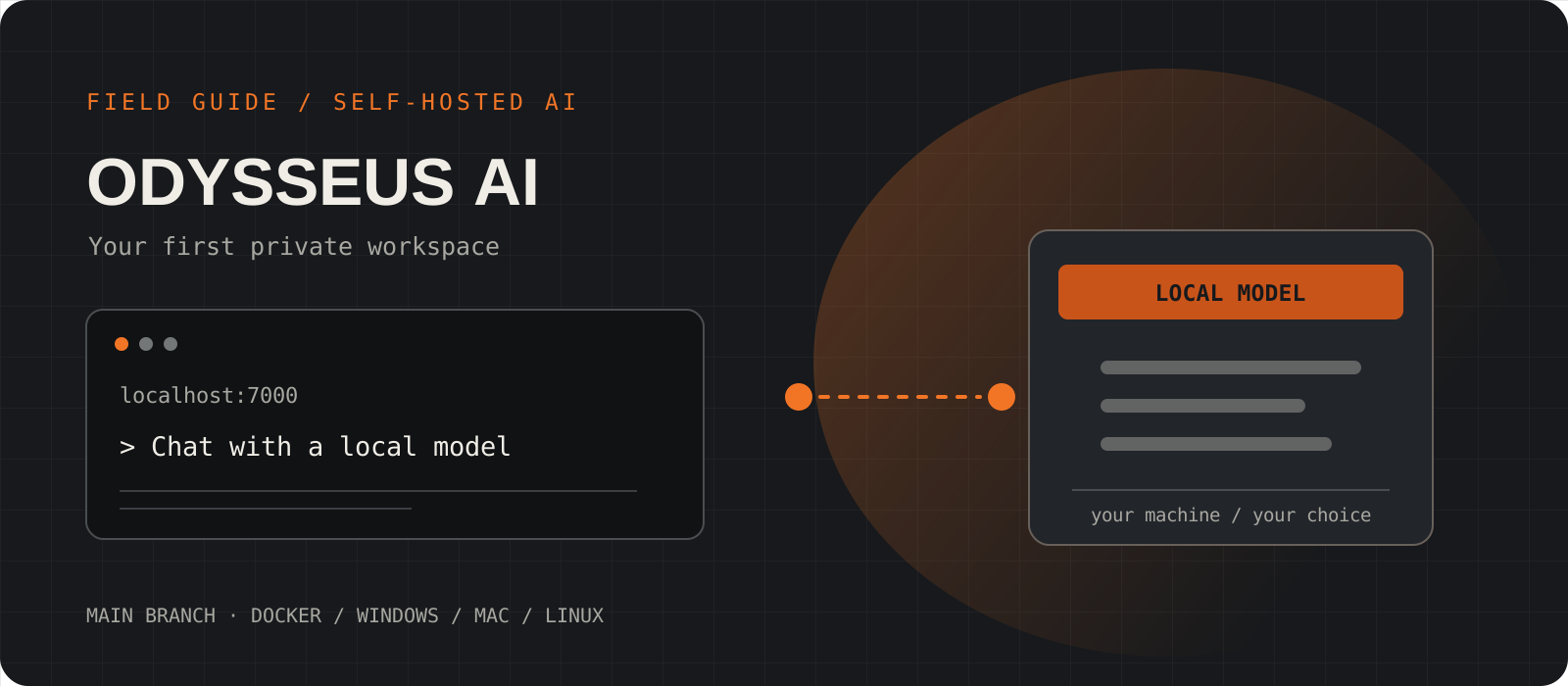
Odysseus AI is a free, self-hosted workspace for model chat, agents, research, documents, and more. If you want to try it, start with the official repository's curated main branch, keep the app on localhost, and connect one model before exploring the extra tools. This guide gets a first chat working on Docker, native Windows, or an Apple Silicon Mac.
System requirements
Source
Git and the official odysseus-dev repository
odysseusai.dev is an independent guide. Get the code and current commands from github.com/odysseus-dev/odysseus.
Docker route
Docker Engine with Compose or Docker Desktop
The maintainers recommend Docker for a first install. On Windows, use Docker Desktop with WSL2. The default web address is localhost:7000.
Native route
Python 3.11+ on Windows, macOS, or Linux
Native Windows has a PowerShell launcher. The Apple Silicon launcher uses port 7860 and allows Metal-backed local serving.
Model and cost
A local model server or a provider API key
Odysseus is free software under AGPL-3.0-or-later. Local models need your own RAM, disk, and compute; hosted APIs can charge separately. A GPU is optional for the app, but affects model speed and size.
Verify the Odysseus AI source and choose the main branch
The linked setup site is independent. The maintainers publish the code and setup guide under odysseus-dev on GitHub.
The repository's default dev branch receives changes first and may be unstable. Clone main for a first installation. Read the repository page before running scripts, especially if you found a command on a third-party guide or video.
git clone --branch main https://github.com/odysseus-dev/odysseus.git
cd odysseus
Tip
The shared code block wraps visually on a narrow screen. Copy keeps the clone command on one line on every platform.
Start Odysseus AI with Docker
Docker is the maintainers' recommended first route on Windows, Linux, and Intel Macs.
From the cloned repository, run Compose and wait for the containers to become healthy. The stack includes Odysseus plus its bundled services. It binds the web app to 127.0.0.1 by default. Open http://localhost:7000 in a browser on the same machine.
On Apple Silicon, Docker cannot pass the Metal GPU to Cookbook. Use the native Mac route in the next step if you want GPU-backed local model serving. Docker is still usable there for the app with a separately running model endpoint.
docker compose up -d --build
docker compose psUse a native launcher when it fits your machine
Windows has a PowerShell launcher; Apple Silicon gets Metal support through the native Mac launcher.
Choose one route. Do not start the native app and Docker stack together on the same port. On Windows, the launcher creates an environment, installs dependencies, and starts the server at localhost:7000. Python 3.11 or newer is required; Git for Windows supplies bash.exe for the full Cookbook and agent shell features.
On an Apple Silicon Mac, start-macos.sh opens the app at 127.0.0.1:7860. Linux users who prefer a native install can create a Python environment and run uvicorn on port 7000. The Linux Cookbook also needs tmux for background model jobs.
powershell -ExecutionPolicy Bypass -File .\launch-windows.ps1./start-macos.shpython3 -m venv venv
source venv/bin/activate
pip install -r requirements.txt
python setup.py
python -m uvicorn app:app \
--host 127.0.0.1 --port 7000Find the first admin password and sign in
Odysseus creates an admin account on first boot and prints a temporary password in the terminal or container log.
For Docker, inspect the Odysseus service log on your own machine. For a native launch, look in the launcher terminal. Sign in as admin unless you set ODYSSEUS_ADMIN_USER, then change the temporary password in Settings. Treat the password line as a secret when sharing logs.
docker compose logs odysseusConnect one model and send a first chat
Choose a local model for offline inference, or a hosted provider if your machine cannot serve one comfortably.
If you already run Ollama on native Windows, add http://localhost:11434/v1 as a model endpoint in Odysseus Settings. If Odysseus runs in Docker while Ollama runs on the host, use http://host.docker.internal:11434/v1 instead. The Docker connection also requires Ollama to listen beyond its own loopback address, so keep that model port inside a trusted host network.
Install Ollama from its official download page if you do not have a local model server. To make a small first test, download Qwen3 1.7B, select that model in Odysseus, and ask a plain chat question. The model download is about 1.4 GB. It proves the connection, but a small model may struggle with agent tools and long research tasks. If you use a cloud API instead, model requests leave your machine and the provider's pricing applies.
ollama pull qwen3:1.7b
ollama listhttp://localhost:11434/v1http://host.docker.internal:11434/v1Check the boundary before enabling agents or remote access
A working local chat is enough for day one. Review what agent tools can reach before giving them shell or file access.
Keep authentication enabled and the app bound to localhost for your first run. Do not publish port 7000 or raw Ollama and bundled service ports to the internet. If you later need access from another device, follow the maintainer's HTTPS and private access guidance.
The maintainer's threat model says the agent shell and file tools run as the app process user without a filesystem sandbox. Use a dedicated machine or restricted account for experiments with untrusted documents and web content. This matters more than a polished login screen.
docker compose ps
docker compose logs --tail=120 odysseus
What can Odysseus AI do after the first chat?
The workspace brings model chat, agents with tools, Deep Research, model comparison, documents, memory, email, notes, and calendar into one self-hosted app. Cookbook scans hardware and helps with local model downloads and serving. Those features need more setup than a basic chat, so turn them on as you need them.
The trade-offs worth knowing
- Privacy depends on the backend. A local model can keep inference on your machine. Cloud APIs, web search, email, and calendar integrations send data to their respective services.
- The app is free under AGPL-3.0-or-later, but hardware, electricity, storage, and optional API calls still cost money.
- The curated main branch is a better starting point than the faster-moving dev branch. The project roadmap still calls out fresh-install and Cookbook reliability work across machines.
- Small local models are useful for checking the connection. The roadmap says agent prompts and tools can consume too much context on smaller models.
- Agent shell and file tools have no filesystem sandbox in the current threat model. Keep the deployment private and give the app process only the access it needs.
I would try Odysseus if I wanted one private workspace for local chat and was willing to maintain a self-hosted app. Start with main, localhost, and one model. I would wait before relying on its agent and integration features for sensitive work until I had tested them under a restricted account.
Frequently asked questions
Is odysseusai.dev the official Odysseus AI site?+
No. It identifies itself as an independent setup guide. The maintainer's repository is github.com/odysseus-dev/odysseus, and the official project site is odysseus-dev.github.io/odysseus.
Is Odysseus AI free?+
The software is free and AGPL-3.0-or-later licensed. Your hardware and electricity have costs, and a hosted model API can bill you separately.
Does Odysseus AI work offline?+
Basic local chat can work without a cloud model when Odysseus and a local model server are already installed and running. Web research, cloud APIs, and external email or calendar services need network access.
Do I need a GPU?+
No GPU is required to run the workspace or a small CPU-served model, but local inference can be slow. Larger models and long agent sessions need more RAM or VRAM. You can also use a hosted model API.
Why can I open Odysseus but see no model?+
The app and the model server are separate. Confirm that Ollama or another backend is running, then add its reachable endpoint in Odysseus Settings. Use localhost:11434/v1 for a native Windows setup and host.docker.internal:11434/v1 when Odysseus is in Docker and Ollama runs on the host.
Why is my Apple Silicon model running on the CPU in Docker?+
Docker on macOS does not give the container access to Apple's Metal GPU. Use the native start-macos.sh route for GPU-backed Cookbook serving, or connect to a model server running outside the container.