How to Use OpenAI Dots: A Beginner Developer Guide
Set up your first OpenAI dot and learn how it can turn GitHub bug reports into a tested draft pull request, with copyable prompts and a concrete task-board example.
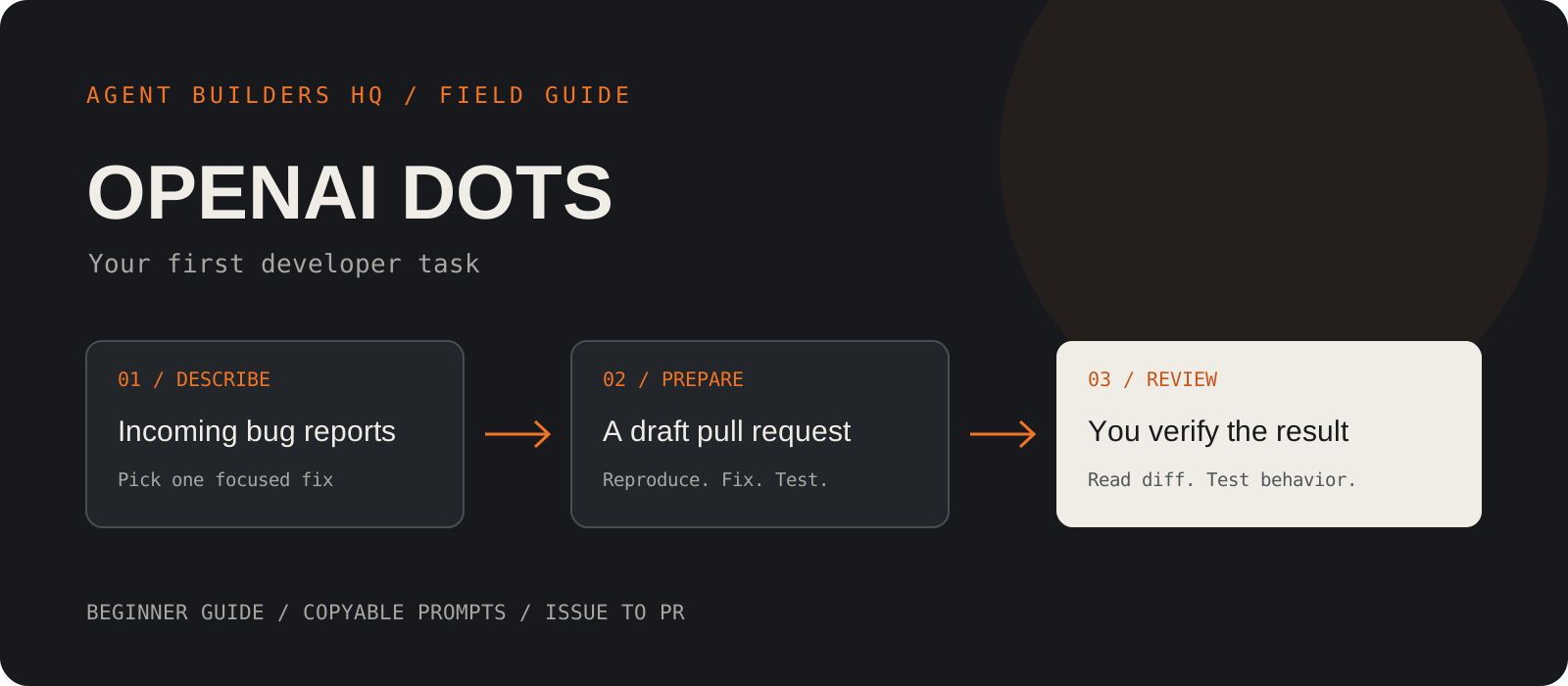
Learning how to use OpenAI dots is easier with a concrete example. Imagine you are building a task-board app while bug reports keep arriving on GitHub. Your dot reads the reports, identifies a small fix, uses your prepared coding environment, and brings back a draft pull request with evidence for you to review. You keep working on your next feature. This guide walks through that workflow. The scenario and sample output are illustrative, not results from a tested Dots session.
System requirements
Access
An eligible ChatGPT account with dots enabled
As of 2 October 2026, Pro access excludes the EEA, Switzerland, and UK. Business Premium supports ChatGPT regions. Enterprise beta needs admin enablement. Rollout is gradual; users must be 18 or older.
System
Desktop browser and an internet connection
Use desktop web on Windows, macOS, or Linux. No local model download or GPU is needed for this browser workflow. Dots work on a cloud computer; this is not an offline setup.
Example project
A practice repository and a prepared Codex environment
Use a task-board app with GitHub issues and no customer data. Have its README and run instructions ready. Check that your available GitHub connection can read issues and create draft PRs within the permissions you grant.
Cost
First dot included in Pro or Business Premium
No extra charge for the first dot, but deeper work has an allowance. Codex or ChatGPT Work tasks use their usual limits. Check your account before starting a longer job.
What are OpenAI dots useful for?
Think of a dot as a helper that keeps track of an outcome across conversations.
OpenAI introduced dots on 29 September 2026. They use GPT-6 Astra, have their own cloud computer, and can work with connected apps. OpenAI describes a developer workflow where a dot investigates feedback and prepares tested fixes for review.
Here is the responsibility we will give it: review incoming bug reports, prepare at most one small fix, and return the evidence needed for a decision. The useful part is the follow-through from a report to a reviewable change, with the same project context carried into the next check.
You do not need to write an API integration for this walkthrough. You will give instructions in ChatGPT and inspect the resulting changes. If you are building an agent into your own product, that is a separate API development task.
Create your first dot on desktop
Open ChatGPT on desktop and follow the dot onboarding prompts.
Windows and macOS users can start in a desktop browser or the ChatGPT desktop app. On Linux, use desktop web for this guide. Name your dot something easy to remember, such as Build Buddy. If onboarding is missing, check eligibility and rollout before troubleshooting your project.
Choose a narrow first assignment and explain your experience level. Ask for plain-language explanations so the finished patch also helps you learn.
Help me maintain my practice task-board app.
I am a beginner developer.
Read bug reports and explain which are small enough to fix.
Prepare one focused change at a time.
Explain the cause, the changed code, and your checks.
List anything you could not verify.Provide project context and set boundaries
Give your dot the relevant files and a way to work on the project.
For an initial discussion, attach the README and sample bug reports. For this workflow, connect GitHub through an available plugin and confirm access to the practice repository's issues. Prepare a Codex cloud environment for the repo before asking the dot to make changes. If the connection lacks issue or PR tools, provide reports as files and ask for a patch instead.
A repository is the project's stored files and version history. A branch keeps proposed changes separate from the main version. A pull request, often shortened to PR, is the review page for those changes before they are merged.
Use a practice repo and describe which actions you want reviewed. Manage connected apps in Plugins and persistent action boundaries in Custom Rules. These settings are shared across ChatGPT, Work, Codex, and dots, so check existing connections too. Rules cannot override built-in safeguards.
Repository: [owner/practice-task-board]
Environment: [prepared Codex cloud environment]
Issue source: [GitHub connection or attached reports]
Run instructions: [the README's setup and start commands]

You may read issues and inspect this repository.
You may create a branch and one draft PR for a small bug.
Ask before adding dependencies or changing unrelated files.
Do not merge, deploy, close issues, or message other people.
Do not use paid services or access other repositories.
If access or setup is missing, explain what is needed.
Tip
Replace the bracketed fields with your project's details. If you only attach files, ask for a proposed patch; do not expect a tested repository change without an execution environment.
Use case: turn task-board bug reports into one draft PR
Give the dot a realistic inbox and an outcome, then let it work through the steps.
You have built a task board that stores tasks in the browser. Three reports arrive: issue #42 says completed tasks become incomplete after refreshing; #43 says ticking a task does not survive reopening the page; #44 requests a full dark-mode redesign. These issue numbers are examples for the walkthrough.
Ask your dot to review the reports. It should investigate whether #42 and #43 describe the same persistence bug and explain why the redesign falls outside a small bug fix. It should inspect the code before deciding on a cause; similar reports are not proof of the same defect.
Next, it reproduces the selected bug in the practice app. Suppose the completion toggle updates the displayed state but never saves the change to local storage, the browser's small persistent data store. A focused fix would save the changed task state using the app's existing storage pattern. If the code points to a different cause, the dot should follow that evidence.
Finally, it checks that a completed task stays completed after refresh, that undoing completion also persists, and that creating or deleting tasks still works. It prepares a draft PR and returns the cause, changed files, checks, and any remaining uncertainty. You review that package before merging.
Review open bug reports in [owner/practice-task-board].
Use [prepared Codex cloud environment] for coding work.

For this first run:
1. Summarize the reports and possible duplicates.
2. Choose at most one small, reproducible bug.
   Skip feature requests, auth, and payment changes.
3. Reproduce it and investigate the cause in the code.
4. Make a focused fix using existing project patterns.
5. Run relevant existing checks and verify the behavior.
6. Create one draft PR if the connected tools permit it.
   Otherwise, return the patch and explain the limitation.

For a completion-persistence bug, verify:
- A completed task stays completed after refresh.
- Marking it incomplete also survives refresh.
- Creating and deleting tasks still work.

Return the issue references, cause, diff, and check results.
Separate observed results from assumptions.
Do not merge, deploy, close issues, or post comments.
Tip
If the bug cannot be reproduced or the environment is incomplete, a useful result is a precise blocker report. Do not ask the dot to invent a fix just to produce a PR.
What should the dot bring back?
Look for a review package that connects the original report to evidence of the fix.
The example below shows the shape of a useful handoff. It is fictional output, not evidence that these checks have been run. In your project, each claim should link to a real PR, diff, or result you can inspect.
Notice how the handoff saves you several setup steps: you do not have to reread all three issues, choose the first bug, explain the repository again, or assemble the review notes. Your remaining decision is whether the proposed fix and its evidence are good enough.
Selected: #42, completed tasks reset after refresh.
Related: #43 appears to report the same behavior.
Skipped: #44 is a redesign request.

Cause: completion changes were not saved to storage.
Change: reuse the existing task persistence helper.
Review: [draft PR link and diff]

Checks: [links to actual results go here]
- Complete task, refresh, confirm it stays complete.
- Undo completion, refresh, confirm it stays incomplete.
- Create and delete tasks, confirm behavior is preserved.

Not checked: [any browser or behavior not verified]
Decision needed: review the patch before merging.Review the patch and test it yourself
Read the changed lines and reproduce each expected behavior.
Open the proposed diff, which shows added and removed lines. Check that the patch addresses the storage path and stays focused. If the dot rewrites unrelated components, ask it to reduce the patch before you review further.
Run the project using its README. Complete a task and refresh the page. Undo completion and refresh again. Create and delete a task. Compare these results with the issue report and the dot's evidence.
Ask which checks ran and which were skipped. A screenshot of a completed task cannot prove persistence after refresh. Inspect the test results or reproduce the sequence yourself, then give specific feedback the dot can use on the next task.
Show me the diff and explain the persistence path.
Link the checks you ran and list anything skipped.
Explain why you treated the two reports as related.
List anything I still need to verify before merging.
For future fixes, keep unrelated refactors out of the PR.Make the workflow ongoing after the first review
Once one run works, ask for a recurring check with a clear limit.
Ask the dot to schedule a daily issue review. Confirm the schedule and timezone in its scheduled activity. This is an explicitly requested recurring task, separate from the read-only proactive research it may do without a new request.
Keep the first schedule small: one repository, one draft PR awaiting review, and no automatic merges. If yesterday's PR is still waiting, the next run can summarize new reports instead of creating more review work. Pause or adjust the scheduled task from the dot's activity controls when needed.
Schedule an issue review every weekday at 9:00 AM
Asia/Kolkata for [owner/practice-task-board].
Use the scope and review boundaries we agreed on.

Check for new bug reports and related existing PRs.
Keep at most one dot-created draft PR awaiting my review.
If one is pending, summarize new reports without coding.
Otherwise, prepare at most one small reproducible fix.
Skip unclear reports and explain what information is missing.
Send the review summary in this dot conversation.
Do not merge, deploy, close issues, or post comments.
Confirm the saved schedule and any missing permissions.
Points to consider before handing over more work
- Keep the review queue small. An unattended pile of draft PRs creates more work than it removes.
- Cloud execution needs the right files and runtime. Attaching source code alone does not prove that the app was built or tested.
- Proactive research uses restricted read-only tools. It is different from an authorized task continuing in the background; do not assume every background activity can edit code.
- Dots can make mistakes. Auto-review checks actions against instructions and safety requirements; it does not establish that a patch is correct.
- Avoid using your first exercise for payments, authentication, or production migrations. Choose work whose failure you can spot and undo.
Our verdict: try one issue-to-PR run before scheduling it
I would try one issue-to-PR run in a practice repository, then schedule it only after reviewing the first result. This shows what a dot is useful for: carrying a responsibility from incoming information to a finished review package, while keeping you involved in the decision to ship.
For a one-off syntax question, a regular chat is enough. Try a dot when the work needs follow-through across several steps and you have time to review the result.
Try it with your own practice project
Pick a practice repository with two or three bug reports and adapt the task prompt above. Bring the review package and one lesson from inspecting it to the Agent Builders HQ community. That gives other beginners a concrete workflow to learn from.
Try one issue-to-PR run, verify its evidence, and only then make the workflow recurring.
Frequently asked questions
Do I need an API key to follow this OpenAI dots guide?+
No. This walkthrough uses dots inside ChatGPT. It does not call the OpenAI API from your own application.
Can I use OpenAI dots offline?+
No. This guide uses the hosted service and the dot's cloud computer. Local computer access does not turn it into an offline model.
Why can't I see dots in ChatGPT?+
Check your plan, region, and workspace settings. Access is rolling out gradually. Use OpenAI's current getting-started page to confirm eligibility.
Can I start with files instead of connecting a repository?+
Yes. Share the relevant code and ask for a proposed patch. Running checks also requires the rest of the project and a suitable execution environment.
Does a completed task mean the code is ready to merge?+
No. Read the diff, inspect the evidence, and verify the expected behavior. You decide whether the change is ready for your project.