What Is DeepSeek Harness? A Beginner's Guide to the MIT-Licensed Agent Runtime
Learn what DeepSeek Harness is, how to run it on Windows, macOS, or Linux, what "everything is a plugin" changes in practice, how to read its session event log, and how it compares to Claude Code.
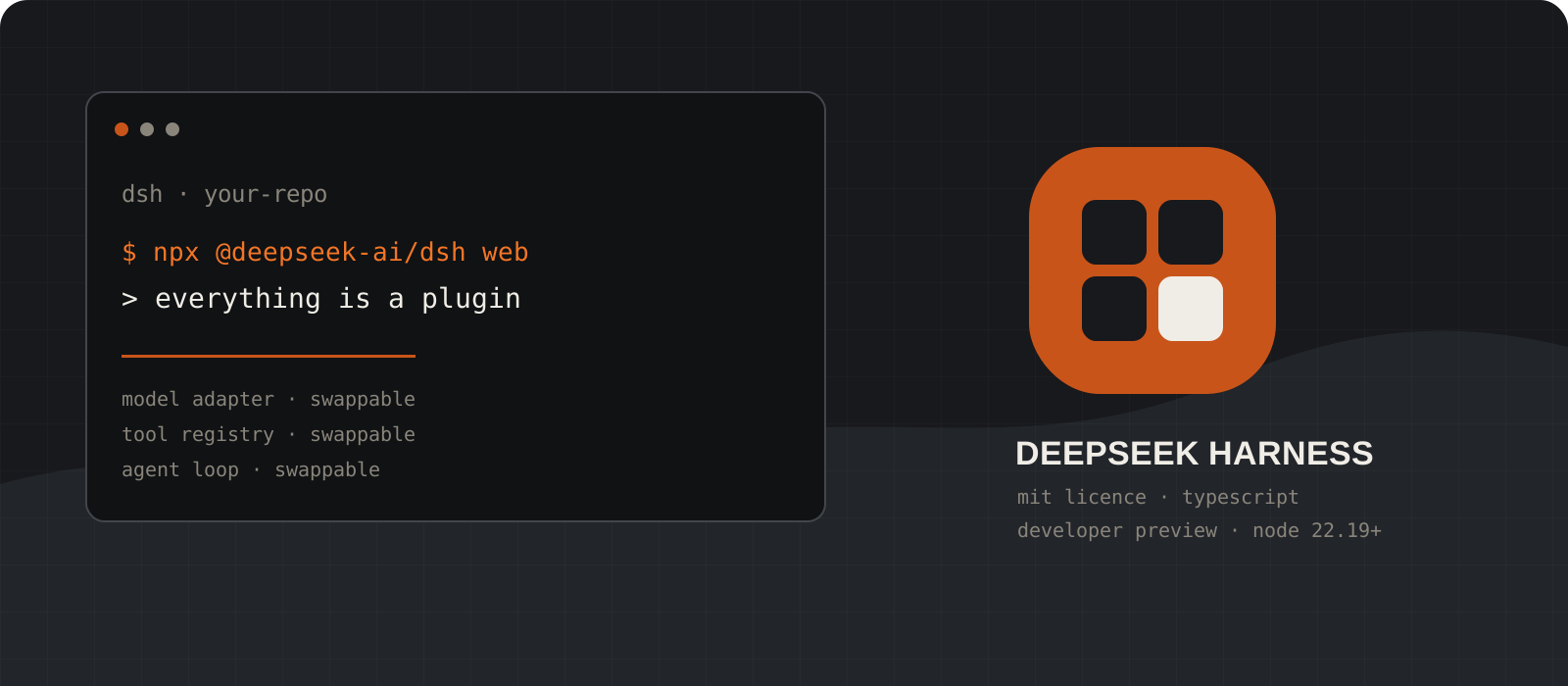
DeepSeek Harness (dsh) is an open-source agent runtime that DeepSeek published under the MIT licence on 13 August 2026. It is the layer most coding-agent vendors keep closed: the part that assembles the prompt, calls the model, executes the tools, and records what happened. Its organising idea is that every one of those parts is a plugin, including the agent loop itself, so any of them can be replaced from a configuration file without forking the project. Two practical facts before you start. It is a developer preview, currently 0.1.1-rc.2, and the README says compatibility-breaking changes are expected. And the runtime is free while the model is not: dsh ships no weights, so your only cost is whatever your model provider charges.
System requirements
Node.js
^22.19.0, or 24 and above
The repository declares this in engines, and it is stricter than it looks. Node 22.18 is a common LTS build and it does not satisfy the range. Check with node --version before anything else.
Operating system
Windows, macOS, or Linux
All three run natively, which is unusual for a new coding agent. The process sandbox differs per platform: bwrap or Landlock on Linux, Seatbelt on macOS, and an ACL restricted-token backend on Windows that reports partial enforcement rather than full.
Package manager
npm for the quick start, pnpm for plugins
npx @deepseek-ai/dsh web needs only npm. The dsh plugin command forwards to pnpm and requires it on your PATH, and building from source needs pnpm 11.7 or later.
Browser
Any modern browser
The shipped interface is a local web app served at http://127.0.0.1:3080. There is no terminal UI in the box, so a browser is part of the default setup.
Model access
An API key from some provider
A DeepSeek platform key is the shortest path. Anthropic, OpenAI, Bedrock, Vertex, Azure and Codex are catalog providers, and any OpenAI-compatible gateway can be added by hand. Nothing runs without a configured route.
Cost
Free runtime, metered model
The MIT licence covers commercial use, modification, and redistribution at no charge. Tokens are billed by whichever provider you point it at, so the meter is entirely outside dsh.
Disk and home directory
~/.dsh, or wherever DSH_HOME points
Profiles, credentials, settings and session logs all live there. Budget real time and disk for the first install: the published package pulls a large dependency tree, and npx prints nothing at all while it downloads.
Project status
Developer preview
Version 0.1.1-rc.2 as of 21 August 2026. The README states in capitals that breaking changes are coming. Treat it as something to evaluate, not something to standardise a team on this quarter.
Check your Node version before anything else
The engines range rejects several current Node builds, and the error is easy to misread.
The repository declares node: ^22.19.0 || >=24.0.0. The caret pins the major version, so 22.19.0 and 22.20.x pass while 22.18.0 does not, even though 22.18 is a perfectly ordinary LTS release. This is the first thing to rule out when a fresh install behaves strangely.
If you are below the line, upgrade Node rather than working around it. nvm on macOS and Linux, nvm-windows or winget on Windows, or the installer from nodejs.org all work.
Decide your route while you are here. npx runs the published package and needs no checkout. Cloning and building from source is what you want if you plan to write plugins against the repository's own tutorials, because those tutorials assume a checkout.
node --version
npm --versionwinget install OpenJS.NodeJS.LTS
# then reopen the terminal
node --versionnvm install 24
nvm use 24
node --versionTip
Node 22.18 satisfies a lot of tooling and fails this one. If you keep several projects on different runtimes, pin dsh to a Node 24 shell and leave the rest alone.
Start the Web UI with one command
One npx call installs the package, boots the runtime, and opens a browser.
The quick start is a single command. It starts a server on http://127.0.0.1:3080 and opens your default browser at that address. Pass --no-open if you would rather it stayed out of the way.
Budget real time for the first run. The package carries a large dependency tree and npx prints nothing while it fetches. On our Windows test machine, a cold npx run was still downloading after 35 minutes without a single line of output. That is worth knowing before you decide the command has hung, and it is a reason to prefer a global npm install, which at least shows progress.
Over SSH the browser handoff is skipped on purpose, because your SSH client or editor owns the forwarded local address. The command still prints the host URL for you to open yourself. The CLI also refuses --host 0.0.0.0 at this stage, so exposing it on a LAN is not a supported one-flag operation.
The directory you launch from becomes the default workspace root, so start it inside the project you want to work on.
cd /path/to/your/project
npx @deepseek-ai/dsh webcd C:\path\to\your\project
npx @deepseek-ai/dsh webnpx @deepseek-ai/dsh web --no-open --port 8080git clone https://github.com/deepseek-ai/deepseek-harness.git
cd deepseek-harness
pnpm install
pnpm run build
pnpm dsh webTip
A silent terminal is the normal first-run experience, not a hang. Watch your network activity rather than the console before you kill it and start over.
Point it at a model
DeepSeek is the default route, but the adapter is a plugin and the catalog is wide.
Open Settings, then Models. The DeepSeek card takes a single API key from platform.deepseek.com. Save it and the route works on the next request with no restart.
Keys are write-only in the interface. After saving, the page receives a redacted descriptor and never the literal secret. The key itself is stored in $DSH_HOME/.credentials.yaml, and settings retain only a reference to it. Credentials also resolve from your environment, from a .env in the launch directory, and from $DSH_HOME/.env.
Add provider covers the installed catalog: Anthropic, OpenAI and others supply their own endpoint, protocol and model list. Bedrock, Vertex, Azure and Codex need native credentials instead of an API key, so filling in the key field alone will not configure them.
Add a custom provider is the route for a company gateway or a self-hosted server. Supply a lowercase provider ID, a base URL, a protocol, a credential, and at least one model. The provider ID is permanent, because sessions, defaults and credential references all key off it.
export DEEPSEEK_API_KEY="sk-your-key-here"$env:DEEPSEEK_API_KEY = "sk-your-key-here"llm-pi-ai:
providers:
my-gateway:
apiKeyEnv: GATEWAY_API_KEY
api: openai-completions
baseURL: https://gateway.example/v1
models:
- id: my-model
- id: vision-preview
input: [text, image]Tip
If a gateway holds a valid key at a reachable URL and still refuses every request, start with compat.supportsDeveloperRole: false and compat.maxTokensField: max_tokens on the route. Those two settings account for most OpenAI-compatible mismatches.
Choose a workspace and run one bounded task
The composer stays locked until a workspace is selected, which catches most people out.
Click Choose workspace, add the project directory, and select it. A fresh Web UI has no workspace even though the process already knows its launch directory, and the session composer is unavailable until you pick one.
New sessions start on the workspace-write permission preset. Bash and filesystem mutations are confined to the workspace root and platform temporary directories, and the interface asks before operations that need approval. Reads and network access are not confined by that preset, which is worth knowing before you point it at a repository holding secrets.
Make the first task small enough to check by eye. Name the observable outcome, the files in scope, what must not change, and the command that proves it worked. A clean or committed working tree makes the resulting diff readable.
Summarize this repository and identify its main packages.
Do not change any files.
Done when you have listed each package and what it owns.git status
git stash listTip
The runtime loads AGENTS.md or CLAUDE.md from your workspace with a 65,536-byte render budget. If you already keep one for another agent, dsh reads it without any conversion.
Look at the plugin tree your machine actually boots
One flag prints the composed configuration, with a comment naming the file behind every row.
A running dsh is a plugin tree composed at boot from ordered layers. A profile names the bundles it stacks, holds any out-of-tree plugins it installed, and keeps your own cordis.patch.yml. Two profiles ship as templates and auto-initialize on first use: web (base plus the web app) and headless (base plus the one-shot runner).
Layers apply in a fixed order onto an empty list: each bundle in the profile's declared order, then the profile's own cordis.patch.yml, then the home-level one at $DSH_HOME/cordis.patch.yml, then any --patch overlay you pass on the command line. Later layers win per row. A patch replaces the whole config of the row it targets rather than merging keys into it.
--dump-default-config prints only the bundle layers. --dump-config adds your patches on top. Both annotate each row with the file that supplied it and every overlay that changed it, and neither boots the runtime. This is the single most useful command for understanding what you are actually running.
npx @deepseek-ai/dsh --profile web --dump-default-confignpx @deepseek-ai/dsh --profile web --dump-confignpx @deepseek-ai/dsh --profile web --patch ./extra.yml --dump-configTip
Any row the dump prints can be replaced by a patch of your own. Read the dump once before you write your first patch and the layering stops being abstract.
Run a single task headless for scripts and CI
The headless profile opens no port, starts no browser, and prints one answer.
dsh --profile headless "job" creates one fresh persisted session, submits the task, waits for it to settle, and prints the final assistant text on stdout. It exits 0 when the turn completed and 1 otherwise, which is what makes it usable in a pipeline.
The headless profile mounts no API proxy, no HTTP server, no web runtime and no browser client. A successful run writes nothing to stderr and opens no listening port, so it is safe to run on a build agent.
There is also a published Python SDK if you would rather call the runtime from a program than from a shell. It bundles its own runtime and needs no system Node, but its supported platforms are narrower than the CLI's: Linux x64, Linux arm64, and macOS 14 or later on Apple Silicon. There is no Windows wheel.
npx @deepseek-ai/dsh --profile headless "Run the tests and report which ones fail."python -m venv .venv
. .venv/bin/activate
python -m pip install deepseek-harness-sdkfrom deepseek_harness import DeepSeekHarness
with DeepSeekHarness(
provider="deepseek-official",
model="deepseek-v4-flash",
cwd="/absolute/path/to/workspace",
session_root="/absolute/path/to/sessions",
) as harness:
result = harness.run("Fix the failing tests.", session_id="example-001")
print(result.final_response)Tip
Reusing a session id keeps the session-owned bash process alive, including its working directory, exported variables and shell functions. Use a fresh id for an independent task.
Add a tool with your own plugin
This is where the plugin claim stops being marketing and becomes about twenty lines of TypeScript.
A plugin is a TypeScript module that exports an apply function. The framework calls it at load time and passes a ctx object through which you register capabilities. There is no registration manifest and no build step beyond what the repository already does.
inject declares the services you depend on, and the framework waits for each of them before loading you. Registering a tool means injecting tools and calling ctx.tools.register with a defineTool description: name, parameters, an output schema, a render function, and an execute body.
Cleanup is automatic. Event listeners, tools and timers registered through ctx unwind when the plugin unloads. For a resource that needs an explicit disposer, such as a network connection, wrap it in ctx.effect and return the teardown function.
Mount it with a patch overlay pointing at an absolute path. Restart, ask the model to use the tool by name, and it appears in the schema alongside the built-in tools with no core changes anywhere.
import type { Context } from '@deepseek-ai/cordis'
import { defineTool } from '@deepseek-ai/dsh-tools'

export const name = 'greet-tool'
export const inject = ['tools']

export function apply(ctx: Context) {
  ctx.tools.register(defineTool({
    name: 'greet',
    description: 'Greet someone by name.',
    parameters: {
      name: { type: 'string', required: true, description: 'The name to greet' },
    },
    output: {
      schema: { type: 'string' },
      render: (_args, value) => [{ type: 'text', text: value }],
    },
    async execute(args) {
      return `Hello, ${args.name}!`
    },
  }))
}- insert:
- id: hello
name: '/absolute/path/to/deepseek-harness/scratch-plugin/src/my-plugin.ts'pnpm dsh web --patch ./scratch-plugin/cordis.ymlTip
The plugin path in a patch must be absolute. A relative path is the most common reason a first plugin silently fails to appear.
Install and remove bundles with dsh plugin
Plugin management forwards to pnpm, so every pnpm verb works unchanged.
dsh plugin --profile <name> <args> initializes the profile if it is missing, then runs pnpm inside the profile directory. add, remove, why and update all behave exactly as pnpm does, because they are pnpm.
After each successful run the profile's bundle list is reconciled against what is installed. A dependency whose package manifest declares a dsh.bundle patch joins the layer stack automatically. A dependency without one stays a plain package and warns once.
The most interesting optional bundles are the subagent providers. dsh can delegate work to Codex or to Claude Code as child agents, because the subagent provider is a capability seam like everything else. Add either package, both, or remove either independently.
Bundle membership is a startup boundary: restart the profile after adding, removing or updating one. Ordinary edits to a profile or home cordis.patch.yml are picked up by hot reload without a restart.
npx @deepseek-ai/dsh plugin --profile web add @deepseek-ai/dsh-subagent-codex
npx @deepseek-ai/dsh plugin --profile web add @deepseek-ai/dsh-subagent-claude-codenpx @deepseek-ai/dsh plugin --profile web why @deepseek-ai/dsh-base
npx @deepseek-ai/dsh plugin --profile web remove @deepseek-ai/dsh-subagent-codexTip
No MCP server is enabled by default. The MCP client ships as a dependency, but each server command is trusted executable code outside the agent sandbox, so enabling one is a deliberate patch you write yourself.
Read the session event log
Every model-visible fact is an event on an append-only log you own on disk.
A session is an append-only log of typed events, and the message history the model sees is derived from that log rather than stored beside it. The rule the codebase enforces is blunt: model-visible means logged. Anything that reaches a model request has to be reconstructable from the log, and a runtime invariant asserts it.
The vocabulary follows the turn. turn/start opens a turn, step/start opens one model call plus the tools it requested, user/message and assistant/message carry the conversation, assistant/chunk preserves token-level replay fidelity, tool/call and tool/result record every execution, then step/end and turn/end close them with a reason.
Logs live under $DSH_HOME/sessions in a per-project directory, one directory per session. By default they are written as session.jsonl.zstd with chunk runs packed together, which is about 60 percent smaller and not something jq can read. Two config keys turn that off when you are debugging.
Once it is raw JSONL, jq is the review tool. Read what the agent actually ran rather than what it said it ran, and remember that a passing test suite proves only what those tests cover.
- id: session-persistence-jsonl
  config:
    root: !!js dshHomePath('sessions')
    compression: none
packChunks: falsels ~/.dsh/sessions/
jq -c 'select(.type == "tool/call") | .payload' ~/.dsh/sessions/*/*/session.jsonlGet-ChildItem $env:USERPROFILE\.dsh\sessions -Recurse -Filter session.jsonl |
Sort-Object LastWriteTime -Descending | Select-Object -First 1Tip
Session telemetry is off by default and the shipped configuration has no redaction rule. If you ever set DSH_TELEMETRY_MODE=FULL, understand that exports can carry message text, tool arguments, tool results and workspace paths.
What "everything is a plugin" actually means
The phrase is doing real work here, and it is worth being precise about what it buys you. dsh is built on Cordis, a plugin framework where plugins contribute services, typed events and reversible effects to a shared context. The model adapter is a plugin. So is the tool registry, the session log, the persistence backend, the sandbox, the permission policy, the web application, and the agent loop that drives all of it.
The consequence the documentation states plainly is that there is no privileged core to patch. You extend dsh by mounting a plugin beside the others, and every registration is an effect that unwinds when its plugin unloads. That is a different proposition from a hook system. Hooks let you run code at points the vendor chose; this lets you replace the point.
The design idea underneath is the capability seam: a service definition declaring an interface, a provider implementing it, and a consumer using it. Because the filesystem and subprocess providers share one execution world, pointing them at a remote sandbox moves the bash tool, the PTY and the language-server integration with them, with no forks of any consumer. That is the payoff, and it is architectural rather than cosmetic.
The honest counterweight: this is a lot of machinery to learn. Profiles, bundles, patch layers, seams, services, waterfall events and scoped registrations are all concepts you need before you can confidently change behaviour. The repository's own architecture document opens by recommending you use an agent to explore the codebase, which tells you something about the surface area.
Which modes ship, and which do not
Several write-ups circulating since launch describe four named runtime modes. The repository documents something different, so it is worth setting out what the CLI grammar really offers.
- dsh --profile <name> boots a named profile from $DSH_HOME/profiles/<name>. Two auto-initialize from shipped templates: web and headless. Any other name has to be created through dsh plugin first, and a missing one fails loudly rather than guessing.
- dsh web is a hardcoded alias for --profile web. It serves the browser application on 127.0.0.1:3080 and accepts --host, --port, repeatable --trusted-host, and --no-open.
- dsh --profile headless "job" runs one fresh persisted session, prints the final answer, and exits. It is the CI and scripting path.
- dsh plugin --profile <name> <pnpm args> manages a profile's plugins by forwarding to pnpm in the profile directory.
- --dump-default-config and --dump-config inspect a composed tree without booting it. They are inspection flags rather than modes, but they are how you learn what a profile contains.
- Anything beyond those two shipped profiles is something you compose. A terminal UI, for example, is referenced in the docs as an example of an installable profile rather than as a mode that ships in the box.
What the session log captures, and why it matters
Most agents write a transcript. dsh writes an event-sourced log and then derives the transcript from it, which is a stronger guarantee than it sounds. Because message history is projected from the log rather than kept alongside it, replay is re-derivation from the same events, and a fork or a resume cannot drift from what actually happened.
The vocabulary is merge-extensible. A plugin declares extra event types through declaration merging, so a compaction plugin adds its own start, summary and end events and a hook bridge adds log-only records, all in the same stream. Sequence numbers stay contiguous across the decoded log, including raw streaming chunks, so persistence can store the canonical log verbatim.
That design is why the audit story here is credible rather than decorative. If a fact reached the model, it is on the log, and a runtime invariant fails the build if it is not. For anyone who has tried to reconstruct why an agent did something surprising, that is the feature to weigh, not the plugin count.
- Logs are per session under $DSH_HOME/sessions, in a readable per-project directory.
- Default storage is checksummed Zstandard frames; set compression: none for plain JSONL you can grep.
- packChunks: true is the default and packs runs of streaming deltas into single rows. Set it to false for one event per line while debugging.
- An opt-in session-query toolset gives the model five read-only tools for searching and tracing its own session history, authorized against the calling session.
- Telemetry is off by default, and the shipped base bundle carries no redaction rule.
DeepSeek Harness vs Claude Code
| DeepSeek Harness | Claude Code |
|---|---|
| MIT licence, full source on GitHub | Proprietary, source not published |
| Local web app at 127.0.0.1:3080, plus a headless runner | Terminal CLI, plus desktop, web and IDE clients |
| Model adapter is a plugin: DeepSeek, Anthropic, OpenAI, Bedrock, Vertex, Azure or any OpenAI-compatible gateway | Claude models, through Anthropic, Bedrock or Vertex |
| The agent loop itself is replaceable from configuration | The loop is fixed; you extend it with hooks, skills, subagents and MCP |
| Layered cordis.patch.yml you can print before boot | settings.json, CLAUDE.md and .claude/ directories |
| No MCP server enabled by default; the client ships as a dependency | MCP is a first-class documented integration |
| Developer preview, breaking changes expected | Generally available and supported |
| Free runtime; you pay your model provider directly | Included with a Claude subscription, or billed per token |
These two are not competing for the same purchase decision, which is the most useful thing to say about the comparison. One is a product you use and the other is a runtime you compose. The table below is about what each one is, rather than which scores higher.
- dsh can delegate to Claude Code rather than replace it. The Claude Code subagent provider is an installable bundle, so a dsh agent can hand a task to Claude Code as a child agent.
- Against Meta Muse Code, the split is similar. Muse Code's differentiator is automatic git worktree isolation per subagent and a co-trained model; dsh has no model of its own and sells composability instead.
- If your reason for looking at open source is running a model on your own hardware, note that dsh solves the harness half only. Point it at a local OpenAI-compatible server and the pair works, but dsh alone does not make anything local.
- If you want a supported tool that works this afternoon on a real codebase, the closed harnesses are ahead today, and the gap is maturity rather than ideas.
What does DeepSeek Harness cost?
| deepseek-v4-flash (off-peak / peak) | deepseek-v4-pro (off-peak / peak) |
|---|---|
| $0.22 / $0.44 input, cache miss | $0.66 / $1.32 input, cache miss |
| $0.007 / $0.014 input, cache hit | $0.022 / $0.044 input, cache hit |
| $0.66 / $1.32 output | $1.98 / $3.96 output |
| 1M context window | 1M context window |
The runtime costs nothing. MIT permits commercial use, modification and redistribution, with no seat count, no telemetry requirement and no gated tier. Everything you spend goes to a model provider of your choosing.
If that provider is DeepSeek, the published rates below are per million tokens and split by time of day. Peak hours are 01:00 to 04:00 and 06:00 to 10:00 UTC, and off-peak rates are half of peak. Both models carry a one-million-token context window with automatic prompt caching, and cache hits are priced roughly thirty times below a cache miss, which strongly rewards long sessions over repeated cold starts.
- Prices are per million tokens from DeepSeek's own pricing page, checked on 22 August 2026. Verify before you budget, because DeepSeek changed this structure on 16 August 2026.
- None of this is local inference. Prompts and the file contents the agent reads go to whichever provider you configured.
- Using another provider changes the meter entirely. The harness is indifferent, which is the point of a plugin adapter.
The trade-offs worth knowing
The interesting ideas here are real. So are the rough edges, and a developer preview that gained six figures of GitHub stars in under two weeks will attract a lot of writing that skips the second half.
- It is a developer preview at 0.1.1-rc.2, and the README warns about compatibility-breaking changes in capital letters. Anything you build against it today may need rework.
- The Node requirement is narrow and unforgiving. Node 22.18 is a current LTS build and it does not satisfy the declared range.
- The first install is heavy and silent. On our Windows test machine a cold npx run had produced no output at all after 35 minutes, which is a poor first impression for a command sold as a quick start.
- Windows is genuinely supported, with a pwsh tool and an ACL restricted-token sandbox, but that backend reports partial enforcement rather than full. If you need an absolute filesystem boundary, Linux and macOS are ahead.
- The Python SDK does not cover Windows at all. Linux x64, Linux arm64 and Apple Silicon macOS only.
- There is no terminal UI in the box. The shipped interface is a browser application, which is a real change of habit if you live in a terminal.
- The learning curve is the main cost. Getting value beyond the defaults means learning Cordis, profiles, bundles, patch layers and capability seams.
- Star counts are not adoption. 182,000 stars nine days after launch measures attention, and attention is not the same as anyone running it against a production repository.
Our verdict
Install it if you care about how coding agents work. Do not standardise your team on it yet.
What DeepSeek published is the layer everyone else keeps closed, and published it properly: readable architecture documentation, a generated configuration catalog, working plugin tutorials, and an MIT licence with no strings. The session log design is the part we would steal outright. Deriving message history from an append-only event log, and enforcing at runtime that anything model-visible must be reconstructable from it, is a better answer to agent auditability than a transcript file, and it costs nothing to adopt as an idea in your own tooling.
The plugin claim survives contact too. Registering a tool really is a twenty-line module and a patch row, and the subagent providers that let dsh delegate to Codex or Claude Code are the proof that the seams are load-bearing rather than aspirational.
Against that: it is version 0.1.1-rc.2, the first install is slow, the Node range excludes a current LTS build, there is no terminal UI, and the conceptual overhead is high enough that the architecture document suggests using an agent to read the codebase. Today, Claude Code and Codex will get more real work done on a real repository with less setup.
So the recommendation splits by what you want. Building a product on an agent runtime, or needing to swap models, tools or sandboxes without a vendor's permission: this is the most credible open foundation available right now, and the licence means nobody can take it back. Wanting a coding agent to use this afternoon: keep the one you have, spend an hour reading the architecture document, and check back when the preview label comes off.
The most credible open agent runtime shipped so far, and still a developer preview. Read it for the architecture, wait for the release before you depend on it.
Frequently asked questions
Is DeepSeek Harness free?+
The runtime is free and MIT-licensed, which permits commercial use, modification and redistribution at no charge. It ships no model, so the only cost is whatever your provider bills. On DeepSeek's own API that is $0.22 per million input tokens off-peak for deepseek-v4-flash and $0.66 for deepseek-v4-pro, with peak rates at double and cache hits far below both.
Does DeepSeek Harness work on Windows?+
Yes, natively. Windows is a first-class target: the default shell tool is pwsh, the sandbox uses an ACL restricted-token backend, and Windows runs in the project's own CI. The one caveat is that the Windows sandbox reports partial enforcement rather than full, because of Everyone and hard-link boundaries. The separate Python SDK does not support Windows.
Does DeepSeek Harness run offline or on my own hardware?+
The harness runs entirely on your machine, but it has no model of its own, so every request goes to whatever endpoint you configured. Point it at a local OpenAI-compatible server such as a self-hosted inference stack and the whole loop is local. Point it at the DeepSeek API and it is not. Open source describes the licence here, not the location of inference.
Do I have to use DeepSeek models with it?+
No. The model adapter is a plugin like everything else. Anthropic, OpenAI, Bedrock, Vertex, Azure and Codex are in the installed catalog, and any OpenAI-compatible gateway can be added by hand with a provider ID, base URL, protocol, credential and model list.
What does "everything is a plugin" change in practice?+
It means there is no privileged core to patch. The model adapter, tool registry, session log, sandbox, permission policy and even the agent loop are plugins mounted in an ordered tree, and you change behaviour by adding a patch layer rather than forking. Run dsh --profile web --dump-config to print the tree your machine boots, with a comment naming the file behind each row.
Is there a terminal UI?+
Not in the box. Two profiles ship as templates: web, which serves a browser application at http://127.0.0.1:3080, and headless, which runs one task and prints the answer. A terminal profile appears in the documentation as an example of something you install, not as a shipped mode.
Where are my sessions stored, and can I read them?+
Under $DSH_HOME/sessions, which defaults to ~/.dsh/sessions, in a readable per-project directory with one directory per session. Logs are Zstandard-compressed by default with packed streaming chunks. Set compression: none and packChunks: false on the session-persistence-jsonl row and you get plain JSONL that jq can read.
Is DeepSeek Harness ready for production?+
No. It is a developer preview at 0.1.1-rc.2 and the README states in capitals that there will be compatibility-breaking changes. It is a good thing to evaluate, prototype against, and read for its architecture. It is not a thing to standardise a team on this quarter.
How is DeepSeek Harness different from Claude Code?+
Claude Code is a finished product with a fixed loop you extend through hooks, skills, subagents and MCP. DeepSeek Harness is a runtime whose every part, including the loop, is a swappable plugin, published under MIT. They are not strictly rivals either: dsh ships an optional Claude Code subagent provider, so a dsh agent can delegate a task to Claude Code as a child agent.
Why did it get so many GitHub stars so quickly?+
It passed 182,000 stars within nine days of publication, which is among the fastest curves GitHub has recorded for a developer tool. Read that as attention rather than adoption. The interesting signal is not the count but what was published: complete architecture documentation, a generated configuration catalog, and a permissive licence on a layer competitors keep closed.