Stop burning Codex credits: run Codex with Ollama instead
A beginner-friendly guide to running Codex with a local Gemma 4 model on Windows, macOS, or Linux.
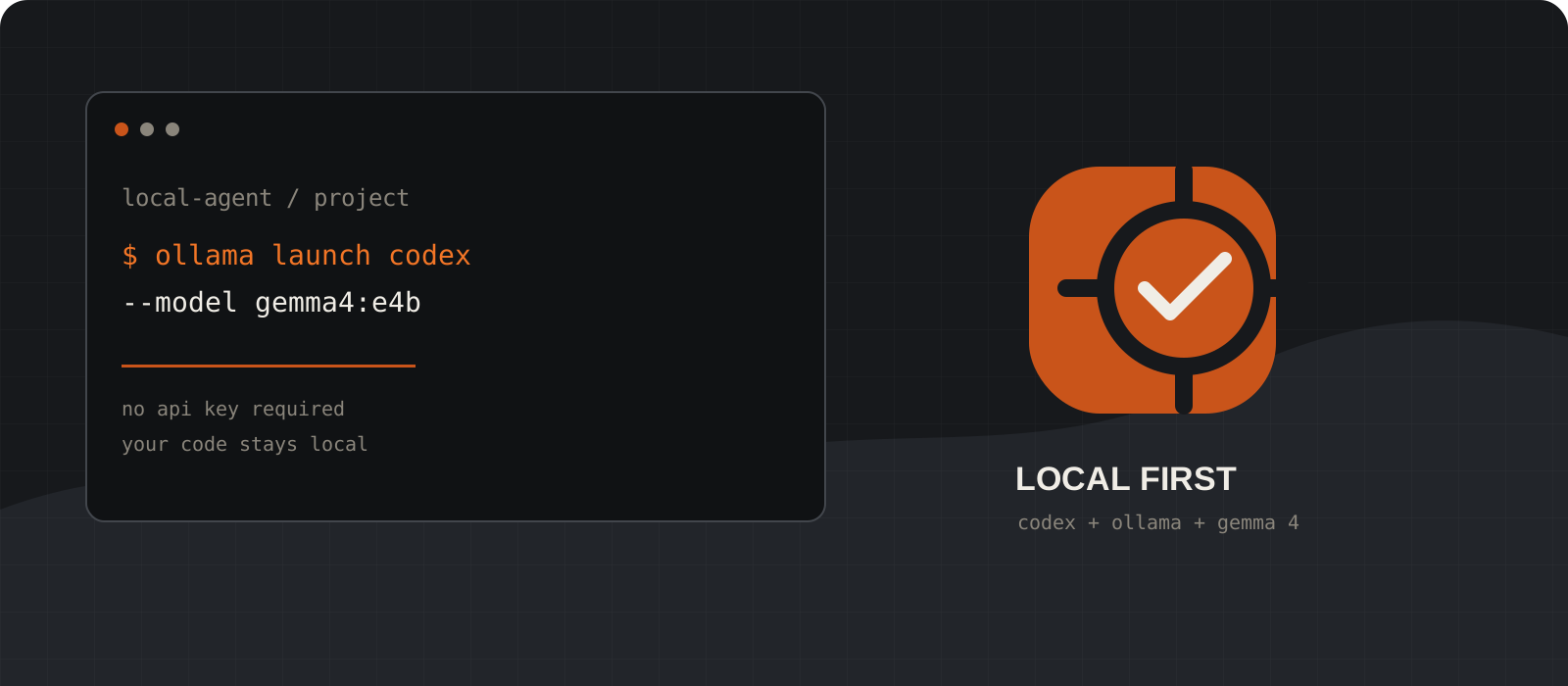
Instead of sending every prompt to a paid cloud model, Codex can use an open-weight model running on your own computer through Ollama. That means no per-prompt API bill for local runs, less data leaving your machine, and a setup you can use as often as your hardware allows.
System requirements
Operating system
Windows 10 22H2+, macOS Sonoma 14+, or Linux
Ollama supports all three. Apple Silicon gets Metal acceleration; supported NVIDIA and AMD GPUs can accelerate Windows or Linux.
Software
Ollama + Node.js/npm
Ollama runs the model. Node.js is needed to install the Codex CLI with npm.
Storage
15 GB free to start
Gemma 4 E4B is listed at about 9.6 GB, before temporary files and future models. Larger variants need more space.
Memory
16 GB RAM is a practical starting point
This is a guideline, not a hard minimum. More RAM or VRAM improves speed and gives Codex more room for repository context; 32 GB or more is more comfortable for larger models.
Internet
Needed for setup, optional for local runs
Download Ollama, Codex, and Gemma 4 once. After that, a local model can run without an API key or network connection.
Install Ollama
Ollama is the local runtime that downloads and serves the model.
Choose your operating system below. The macOS and Windows downloads install the desktop app; Linux uses the official install script.
After installing, open a fresh terminal and confirm that Ollama is available. On macOS and Windows it normally stays running in the background. On Linux, start the server if your installation did not create a service.
ollama --versionollama --versioncurl -fsSL https://ollama.com/install.sh | sh
ollama serveTip
If a terminal says that ollama is not recognized, close and reopen the terminal after installation.
Install the Codex CLI
Codex is the coding agent; Ollama supplies the local model behind it.
Install Node.js first if you do not already have npm. The Node.js download page has installers for Windows, macOS, and Linux.
Then install the official Codex CLI globally. This step is the same in PowerShell, macOS Terminal, and Linux shells.
node --version
npm --version
npm install -g @openai/codexKick off Codex through Ollama
Let Ollama configure the connection and launch Codex for you.
Ollama's launch command sets up the local provider and opens Codex. The first run can take longer because it may need to download the model you choose.
Use a model name without a cloud suffix for a fully local run. The command below uses Gemma 4 E4B, a sensible starting point for a machine with limited memory.
ollama launch codex --model gemma4:e4bcodex --oss -m gemma4:e4bTip
Coding agents need room for your repository context. Aim for a 64K context window when your hardware can handle it; more context also means more memory use.
Download Gemma 4 explicitly
Pull the model before a session if you want a predictable first launch.
The launch command can download a missing model automatically. If you prefer to download it first, use ollama pull. This is also a useful check that the model fits your disk and memory budget.
E4B is the beginner-friendly starting point. Move up to 12B, 26B, or 31B only when your computer has the memory and you are comfortable trading speed for capability.
ollama pull gemma4:e4b
ollama listollama run gemma4:e4bTip
ollama run downloads the model when it is missing and then opens a chat. Press Ctrl+D or type /bye to leave the chat.
Start coding with the local setup
Open your project directory, launch Codex, and begin with a small, reviewable task.
Use cd to enter the repository you want Codex to work on. Start with a request that tells it what to inspect, what success looks like, and which checks to run.
Codex can read, modify, and execute code in the working directory. Review the diff and test output before accepting changes, just as you would with a human contributor.
cd C:\path\to\your-project
ollama launch codex --model gemma4:e4bcd ~/path/to/your-project
ollama launch codex --model gemma4:e4bInspect this repository. Summarize the architecture, identify the test command, and propose one small improvement. Do not edit files yet.Tip
Keep the first task narrow: ask for an explanation, a test, or one isolated fix before handing over a large refactor.
What you gain
A local Codex setup is useful when you want to experiment freely. There is no per-request API charge for the local inference path, and your source code can stay on your machine. You also get a repeatable workflow that is not tied to one hosted model or account.
- No token bill for local prompts; you still pay in electricity, hardware, and storage.
- Better privacy for repositories and notes that should not leave your device.
- Works across Windows, macOS, and Linux with the same Codex launch command.
The trade-offs worth knowing
Free to run does not mean costless or unlimited in performance. Local inference uses RAM or VRAM, can make your laptop warm, and may be slower than a hosted frontier model. Smaller Gemma 4 variants are excellent for everyday edits, tests, explanations, and scaffolding, but they may need more steering on a large unfamiliar codebase or a difficult debugging session.
- Quality varies by model size. Larger variants need substantially more memory and disk space.
- A local model has no web access by default. It will not automatically know a just-released library change.
- Keep Git commits or a clean working tree before an agentic task, and approve destructive commands carefully.
- Use an exact local model tag such as gemma4:e4b. A :cloud model is hosted and follows a different privacy and cost model.
Our verdict
For a beginner who wants to learn Codex without watching a usage meter, this is a very good setup. Gemma 4 E4B makes the first experiment approachable, and Ollama removes most of the configuration friction. I would use it for boilerplate, tests, documentation, small features, and private code review; I would still switch to a stronger hosted model for high-stakes changes, huge repositories, or work where latency and peak reasoning matter more than local control.
The best workflow is hybrid: local by default, cloud when the task earns the extra capability. That gives you fewer bills without pretending every model or every machine is equal.
Local first, cloud when the task earns it.
Frequently asked questions
Does Codex with Ollama work offline?+
Yes, after Ollama, Codex, and the model are installed. A local Gemma 4 run does not need an API key or an internet connection; you will still need internet for downloads and updates.
Is Codex with Ollama really free?+
There is no per-prompt API charge for local inference, but your computer still uses electricity, memory, and disk space. Ollama Cloud models are a separate hosted option.
Which Gemma 4 model should a beginner use?+
Start with gemma4:e4b. It is a smaller edge-oriented variant. Try 12B or larger only if your machine has enough memory and you accept slower local generation.
Do I need an OpenAI API key?+
Not for the local Ollama path. Install the Codex CLI and launch it through Ollama with ollama launch codex or codex --oss.