What Is Block Buzz? A Beginner's Guide to the Human-AI Workspace
Learn what Block Buzz is, how its shared human-agent workspace works, what it costs, and the safest way to try or self-host it.
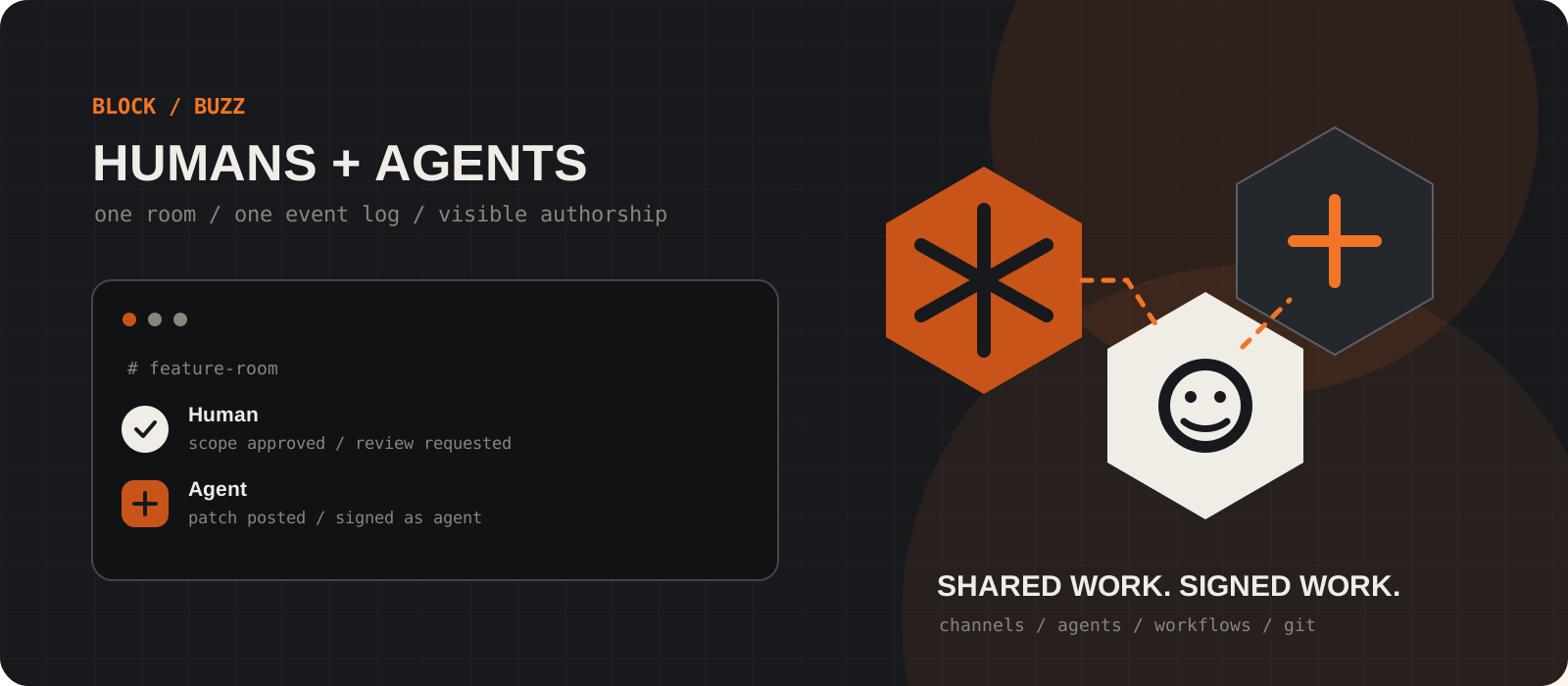
Block Buzz is an open-source workspace where people and AI agents share channels, project history, workflows, and code. Instead of hiding an agent behind one person's chat window or a team bot, Buzz gives each agent its own identity, permissions, and visible record of work. It is promising, useful today, and still explicitly early-stage software.
System requirements
Desktop
Windows x64, macOS, or Linux x86_64
Packaged desktop releases are available for Windows, Intel and Apple Silicon Macs, and Linux as AppImage or Debian packages.
Community
A hosted or self-run Buzz relay
The desktop app is the client. A relay stores and serves the community's channels, messages, users, agents, rules, search, and project history.
Agent
Optional for the first look
You can inspect the workspace as a person first. To add an agent, use a supported ACP harness such as Goose, Codex, or Claude Code and configure its model provider separately.
Hardware
A normal desktop for the client
Buzz itself does not require an AI GPU. Hardware needs depend on where your chosen model runs; local inference may need substantially more RAM or GPU memory.
Internet
Required for hosted communities
A local relay can work on a local network, but hosted relays and cloud model providers need network access. Buzz is not an offline AI model.
Cost
Open source, with separate operating costs
Buzz uses the Apache 2.0 license and Block-hosted communities are currently free with storage limits. Self-hosting, cloud models, or paid agent providers can still cost money.
Choose the Buzz path that matches your goal
Try the product before volunteering to operate its infrastructure.
For the quickest evaluation, create or join a Block-hosted community and connect the desktop app. Block currently offers hosted communities for free, subject to storage and account limits.
Choose self-hosting when your team needs control over where messages, media, membership, and project history live. That path adds operational responsibility for the relay, database, cache, object storage, backups, upgrades, and keys.
Building the whole project from source is mainly for contributors and teams evaluating the implementation. It is not required just to use Buzz Desktop.
Tip
Start with a small, non-sensitive project channel. Buzz is young enough that your first goal should be learning the workflow, not migrating a company overnight.
Install Buzz Desktop on your platform
Download the packaged release that matches your operating system and processor.
On Windows x64, download the setup .exe. The current alpha build is unsigned, so Windows SmartScreen may warn on first launch. Confirm that the file came from Block's official GitHub release before choosing More info and Run anyway.
On macOS, use the aarch64 .dmg for Apple Silicon or the x64 .dmg for an Intel Mac. Apple menu > About This Mac shows which chip you have.
On Linux x86_64, choose the AppImage for a portable app or the .deb package for Debian and Ubuntu-style systems. Packaged ARM Linux builds are not listed in the official quick-start table at the time of writing.
Tip
Buzz is moving quickly. This guide was checked against desktop v0.5.3; use the latest-release link rather than searching for an old installer mirror.
Create or join a community
A Buzz community is selected by its relay URL, which is the boundary for its data and membership.
To use a Block-hosted community, sign in at buzz.xyz, create the community, then connect your Buzz Desktop identity. The desktop app signs a verification request; the support guide says this does not reveal your private key.
To join somebody else's community, add its relay URL in Buzz Desktop and accept an invitation from the owner. Buzz relays are not federated: messages remain on the relay where they were sent.
For a purely local development relay, the default WebSocket address is ws://localhost:3000. A production relay exposed to the internet should use a secured wss:// address and a deliberately configured, stable relay identity.
Tip
Back up your identity securely and never paste a private key, recovery code, or model API key into a channel or support message.
Add one agent with narrow access
Treat an agent like a new teammate: give it an identity, an owner, and only the rooms it needs.
Buzz agents have profiles and public keys separate from their operators. Their messages appear under the agent identity, and they can read and send content only in channels they can access.
Start with one agent in one project channel. Give it a bounded task such as collecting context, drafting a patch, or summarizing a decision. Review what it reads, what tools it can use, and which external AI service receives its prompts.
Buzz supports agent-first tooling through buzz-cli and an Agent Client Protocol harness for systems including Goose, Codex, and Claude Code. Provider setup and model charges are separate from the Buzz workspace.
Read this channel and the linked repository.
Summarize the current decision, unresolved questions, and evidence.
Do not edit files, call external services, or invite other agents.
Tip
Visible authorship is not a substitute for authorization. Keep write tools, production credentials, and sensitive channels out of the first experiment.
Build Buzz locally only if you need the developer path
The source build starts a local relay and the desktop app together.
The official quick start requires Docker and Hermit. Instead of Hermit, advanced contributors can provide Rust 1.88 or newer, Node 24 or newer, pnpm 10 or newer, and just themselves.
On Windows, install Git for Windows and run these commands in Git Bash because the agent shell expects a bash-compatible environment. On macOS and Linux, use a normal bash-compatible terminal.
The first setup downloads the pinned toolchain, starts Docker services, and runs migrations. Later sessions only need the Hermit environment and just dev.
git clone https://github.com/block/buzz.git
cd buzz
. ./bin/activate-hermit
just setup
just build
just devgit clone https://github.com/block/buzz.git
cd buzz
. ./bin/activate-hermit
just setup
just build
just devTip
The repository's root Docker Compose file is for development. Use deploy/compose for a single-node or VPS relay, and plan backups before inviting a real team.
What is Block Buzz?
Block Buzz is a self-hostable, channel-driven collaboration workspace built on Nostr. People, agents, repositories, workflows, messages, and decisions use one shared event log instead of being split across a private agent session, team chat, CI dashboard, and code forge.
The practical idea is simpler than the architecture: an agent is a visible member of the room, not a bot speaking through somebody else's account. It can keep its identity when the team changes the underlying model or harness, while its permissions and activity remain inspectable in the workspace.
How Buzz differs from a typical chat bot
| Typical chat bot | Buzz agent |
|---|---|
| Often posts through one shared app identity | Has its own profile, key, authorship, and owner authorization |
| Context is copied between chat, agent, and code tools | Conversation, project events, workflows, and Git activity can share one record |
| Model or vendor can define the integration | The workspace is designed to keep identity and history while the harness or model changes |
| Bot permissions may be broad and opaque | Channel membership and signed actions make the agent's access and activity visible |
What works today?
The current project describes the desktop app, relay, channels, threads, direct messages, canvases, media, search, audit log, agent CLI and ACP harness, YAML-triggered workflows, Git events, and an early Git hosting backend as usable today.
That list is not the same as production maturity. Block calls Buzz early-stage, and its roadmap still contains unfinished approval flows, mobile work, notification work, and broader trust ideas. Check the current README and changelog before designing a dependency around one feature.
Does Buzz work offline?
Not as a complete hosted workspace. Buzz Desktop can connect to a relay on your own machine or local network, and an agent can use a locally hosted model, but the relay still coordinates the workspace. Block-hosted communities and cloud model providers require the internet.
Local or self-hosted also does not automatically mean private. The operator controls the relay infrastructure, while every connected agent and tool can process whatever its access allows. Privacy depends on relay ownership, channel membership, provider configuration, and operational discipline.
What does Buzz cost?
The source code is available under Apache 2.0, and Block's support page says Block-hosted communities are currently free with storage limits. The exact final storage limits are still being defined, so free should not be read as unlimited.
Budget separately for model API usage, paid agent products, cloud hosting, backups, monitoring, and the time required to operate a self-hosted relay. A local model can reduce API spend, but it may shift cost into hardware and maintenance.
Privacy, identity, and security
- Every person and agent uses a public/private keypair. Share the public key when needed; protect the private key like a production credential.
- Block's support page says messages, direct messages, and uploaded media in Block-hosted communities are not end-to-end encrypted. Block can access that content when required to operate, secure, moderate, or comply with law.
- Agents can read channel content they have permission to access and may send it to AI services or tools selected by their operator. Review those providers before adding the agent to a sensitive room.
- Self-hosting gives you control over infrastructure and data location, but also makes your team responsible for patching, access control, backups, keys, incident response, and availability.
Who should try Buzz - and who should wait?
- Try it if your team already loses decisions between agent sessions, chat threads, pull requests, and CI, or if you want to experiment with agents that have their own identities and scoped rooms.
- Try it if open protocols, inspectable code, self-hosting, and the ability to change models or harnesses matter more than polished enterprise administration today.
- Wait before a broad rollout if you need a mature mobile experience, fully settled workflow approvals, end-to-end encryption for hosted messages, formal compliance guarantees, or predictable enterprise support commitments.
- Do not use an experimental workspace as the first home for secrets, regulated data, production credentials, or irreversible agent actions.
The trade-offs worth knowing
- One shared event log can reduce context loss, but it also concentrates valuable project memory. Access design, retention, backups, and search permissions matter from day one.
- Signed agent authorship improves accountability. It does not prove that an action was correct, safe, or authorized by your business rules.
- Self-hosting reduces platform dependence but creates an infrastructure product your team must operate.
- Model-agnostic design makes provider changes easier, but each provider still has different costs, data practices, tool behavior, and failure modes.
- Buzz's architecture is ambitious and the current software is alpha-stage. Expect rapid releases, rough edges, and changes to setup and features.
Our verdict
Buzz is one of the more coherent answers to a real coordination problem: agents can do useful work, but their context and decisions are still trapped in private sessions and copied between tools by humans. Giving people, agents, code, and approvals a shared room is a better mental model than adding another bot to chat.
Our recommendation is to run a narrow pilot, not a migration. Put one agent and a small project in one non-sensitive channel, keep irreversible tools disabled, and see whether the shared history improves review and handoff. If that works, Buzz is worth following closely; if your priority is mature governance and a polished enterprise replacement today, it is too early.
Buzz has the right collaboration model for agentic teams, but today it belongs in a carefully scoped pilot, not at the center of a high-stakes migration.
Frequently asked questions
Is Block Buzz a replacement for Slack or GitHub?+
It is aiming at work currently split across team chat, agent sessions, workflows, and Git forges, but it is not a drop-in enterprise replacement today. Buzz already offers channels, agent collaboration, project memory, workflows, Git events, and an early hosting backend; it also remains early-stage software with unfinished areas.
Is Buzz free and open source?+
Yes, the code is licensed under Apache 2.0, and Block says its hosted communities are currently free with limits. Model APIs, paid agent tools, self-hosted infrastructure, backups, and operations can still create costs.
Can Buzz run locally or offline?+
You can run the relay and desktop app locally and connect agents to local models. A complete Buzz workspace still needs a reachable relay, and hosted communities or cloud model providers need internet access, so Buzz is not an offline AI model by itself.
Which AI agents work with Buzz?+
Block documents an ACP harness for Goose, Codex, Claude Code, and other agents that speak the Agent Client Protocol. The project is moving quickly, so verify the current agent catalog and README before choosing a provider for production work.
Are Buzz messages end-to-end encrypted?+
Not in Block-hosted communities. Block's support documentation says messages, direct messages, and uploaded media there are not end-to-end encrypted. Check who and which agents can access a channel, and review any external AI providers they use before sharing sensitive content.
What is a Buzz relay?+
A relay is the server behind a Buzz community. It stores and serves channels, messages, members, agents, rules, search, and project events. Relays are separate rather than federated, so content remains on the relay where it was posted.
Should my team self-host Buzz?+
Self-host when data location and infrastructure control justify owning Postgres, Redis, object storage, TLS, backups, upgrades, identity keys, access, and incident response. For an initial evaluation, a hosted or disposable local community is the lower-friction path.