What Is Meta Muse Code? A Beginner's Guide to the Muse Spark 1.2 Coding Agent
Learn what Meta Muse Code is, how to install it, how subagent fan-out with git worktrees works, what Muse Spark 1.2 costs and scores, and when to skip it.
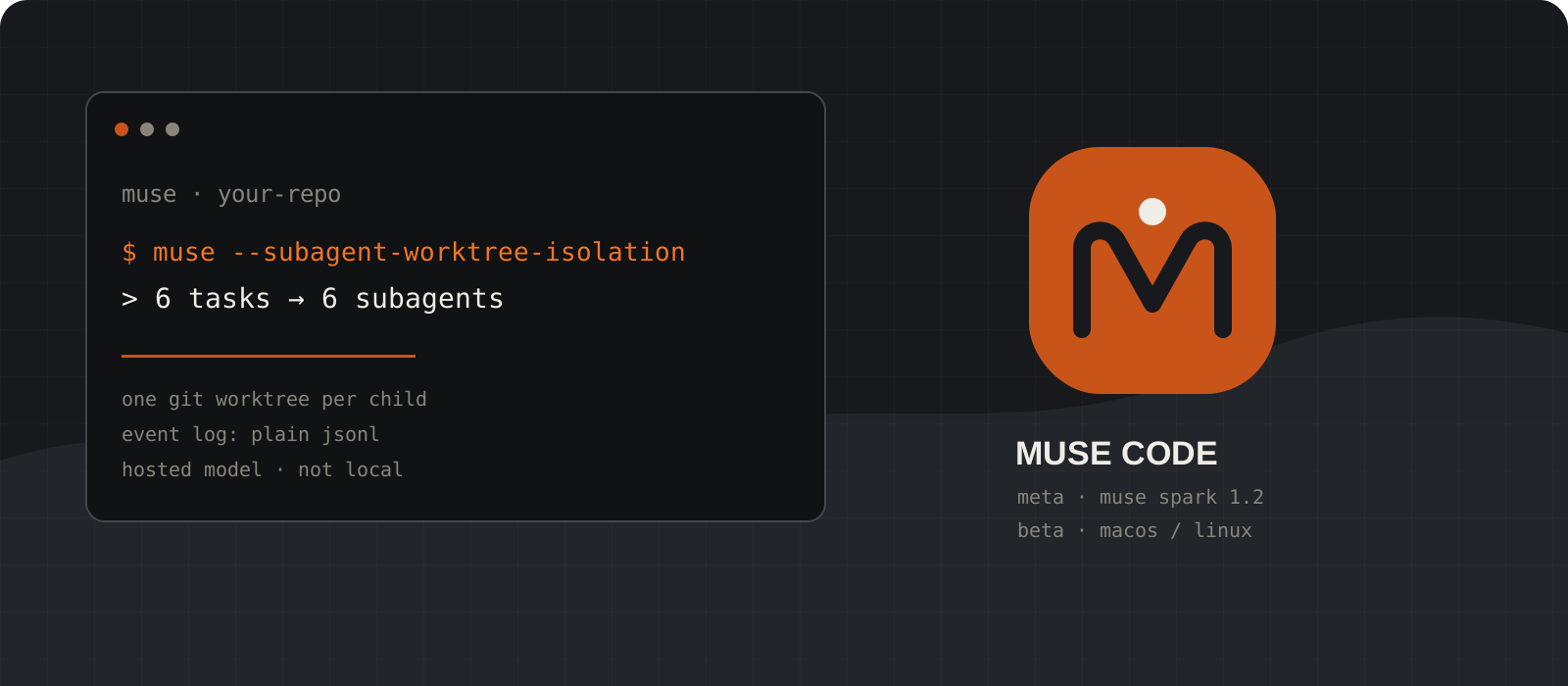
Meta Muse Code is a terminal coding agent, released in early beta on 5 August 2026, and it is Meta's first. It runs on Muse Spark 1.2, a coding model Meta co-trained with the agent itself. The feature that actually distinguishes it is fan-out: hand it a batch of tasks in one prompt and it spawns a subagent per task, each in its own isolated git worktree, with every action written to a replayable event log. Two practical facts up front: it installs a native binary for macOS and Linux only, and it is a hosted model you pay for per token, not something that runs on your laptop.
System requirements
Operating system
macOS or Linux
Meta's docs state the one-line installer places a native binary on your path for macOS and Linux. There is no native Windows build, so Windows users work inside WSL2.
Version control
Git, for the interesting part
Subagent fan-out creates a git worktree per child under .muse/worktrees/. You can run Muse Code outside a repository, but worktree isolation needs one.
Account
A Meta developer account
First run asks whether to trust the workspace, then offers a browser sign-in or an API key. For CI, set META_API_KEY instead and run headless.
Hardware
Any normal development machine
Inference happens on Meta's servers. There is no GPU, VRAM, or model download requirement, because no model weights run locally.
Internet
Required for every request
Muse Code is not offline or local inference. Your prompts, and the file contents the agent reads, are sent to Meta's Model API.
Cost
Pay-as-you-go, or a rate-limited contributor tier
Standard pricing is $1.25 per million input tokens and $4.25 per million output tokens. The cheaper contributor tier is capped by tokens in a rolling 5-hour window and may be used to improve Meta's products.
Check whether Muse Code can run on your machine
Answer the platform question before you spend time on setup.
On macOS or a Linux desktop or server, the published installer works directly. Nothing else is needed beyond curl and a shell.
On Windows there is no native installer. The supported route is WSL2: install a Linux distribution, open that shell, and treat everything from step 02 onward as Linux. Keep your repository inside the Linux filesystem rather than on a /mnt/c path, because cross-filesystem file watching and test runs are noticeably slower.
If you are on Windows and do not want WSL2, you are not stuck. Muse Spark 1.2 is also served through the Meta Model API and through OpenRouter, so you can point an OpenAI-compatible or Anthropic-compatible client at it from PowerShell. You just will not get the Muse Code agent harness itself.
wsl --install
wsl --statuscurl --version
echo $SHELLTip
Beta means the platform matrix can change. Check the official announcement before assuming a native Windows build still does not exist.
Install Muse Code and complete the first run
One install script, then a trust prompt and a browser sign-in.
Meta's announcement pipes the installer to bash and the docs pipe it to sh; either works. As with any curl-pipe-shell install, fetch and read the script first if you are installing on a machine you do not fully control.
The installer puts a native muse binary on your path. Confirm it resolves before going further.
Run muse in a project directory. On first entry it asks whether to trust the workspace, then prompts you to authenticate with a browser sign-in or an API key. Trusting the workspace is what loads that project's skills, rules, and hooks, so treat it as a real decision rather than a dialog to dismiss. The default model is muse-spark-1.2, and /login reopens the sign-in options later.
curl -fsSL https://dev.meta.ai/install.sh | sh
muse --versioncurl -fsSL https://dev.meta.ai/install.sh -o muse-install.sh
less muse-install.sh
sh muse-install.shTip
Approvals and an OS sandbox are on from the first run. That is a sensible default — resist the urge to turn it off before you have watched the agent work once.
Start with one bounded task, interactive or headless
The same binary runs a terminal UI or a single scripted prompt.
Run muse in the repository for an interactive session with slash commands, approvals, and live status. Make sure the working tree is clean or committed first; a clean tree is what makes the resulting diff readable.
For scripts and CI, muse exec runs one prompt to completion with no UI. That path uses META_API_KEY rather than a browser sign-in, which is the difference most people trip over when they first wire it into a pipeline.
Your first task should be small enough to verify by eye: one failing test, one contained feature, or one migration step. Good prompts name the observable outcome, the files in scope, what must not change, the command that proves success, and when to stop.
Fix the pagination bug in the orders API.
Stay inside services/orders and its tests.
Do not change the public response shape.
Done when the focused tests and type checks pass.cd ~/code/your-project
git status
museexport META_API_KEY="your-api-key-here"
muse exec "Fix the failing test in services/orders and stop."Tip
While a turn runs you can steer it: Enter injects text into the turn in progress, Alt+Enter queues it for the next one, and Esc interrupts. Esc stops the turn only — background terminals and subagents need /stop.
Invoke the bundled skills by name
Four playbooks ship built in, and none of them fire on their own.
/plan grounds a plan in your real files, names the key decisions with a recommendation for each, saves it to .agents/plans/ and stops for approval. It makes no code changes, which makes it the cheapest way to catch a wrong approach.
/grilling interviews you one decision-forcing question at a time until the design holds up. /grill-with-docs runs the same interview but writes the settled decisions into your project docs as durable decision records instead of chat scrollback.
/taste is an anti-slop filter: a flat checklist of visual defaults not to use, so generated UI stops looking machine-made.
All four are explicit-invocation only — Muse Code will not reach for /grilling just because a design looks shaky. A skill also loads its full instructions only for the turn you invoke it on, and the TUI marks that turn with a Loaded skill line so you can see which turn a skill shaped.
/plan             # plan grounded in real files, saved to .agents/plans/
/grilling         # one decision-forcing question at a time
/grill-with-docs  # same interview, written into your project docs
/taste            # anti-slop checklist for generated UI
Tip
Run /help to see the full command set in your workspace and /keymap for shortcuts. The built-in list is much larger than these four.
Fan one job out to parallel subagents
This is the pattern Muse Code is actually built around.
Hand the parent a batch of tasks in one prompt and it spawns a write-capable child per task. With worktree isolation on, each child gets its own git worktree under .muse/worktrees/ in detached-HEAD state, checked out from the parent's HEAD — no manual git worktree command, and your working copy is never touched.
Children exceeding the host concurrency limit queue and start as slots free. In Meta's own walkthrough, six spawned subagents ran four at a time. Call subagent_status for the roster, or subagent_wait to block on a specific child.
Each child commits its work on its own branch, so results drain back to the parent and you review or merge them one at a time. In Meta's demo the child that fixed the bug passed the full suite inside its own worktree while the parent's copy still failed that same test.
cd /path/to/your/repo
muse --subagent-worktree-isolationsubagent_statusTip
Fan-out pays off when tasks are genuinely independent. Six subagents editing overlapping modules will produce six branches you have to reconcile by hand.
Audit the event log and resume after a crash
Every session is plain JSONL on your disk, so you can grep it.
Muse Code logs sessions, agent spawns, actions, and every decision a subagent made. It is JSONL under ~/.local/share/muse/sessions/, so jq is the review tool. Each worktree's lifecycle is in there too, carrying its base commit and cleanup policy.
The same log powers muse resume: if a session is killed or crashes, the next one reads the log and carries on from the last recorded step, so you do not re-prompt to get back up to speed. Sessions also persist across closing your laptop. Inside a session, /resume, /fork and /export trajectory cover the same ground.
Read the diff, the commands actually executed, and the test output. A green suite proves only what those tests cover — if the agent touched behavior that has no test, that behavior is unverified, and the honest response is to write the test.
F=~/.local/share/muse/sessions/$(date +%Y/%m/%d)/*/session.jsonl
jq -c 'select(.payload.event.kind | test("reminder")) | .payload.event' $Fmuse resumeTip
Keep production credentials, deploy access, and merge rights outside the agent's reach. An event log tells you what happened; it does not stop it happening.
Control what a long session costs
Muse Spark is a reasoning model, and thinking tokens bill as output.
Output is the expensive side of the meter at $4.25 per million tokens, and reasoning tokens count as output. /effort dials the thinking up or down so you are not paying for deep reasoning on a straightforward task.
Long sessions fill the context window. /compact replaces earlier history with a summary to reclaim room, and Muse Code compacts automatically when context fills. Cached input is priced far below fresh input, which rewards staying in one long session over many cold starts.
/model switches tiers mid-session. Use muse-spark-1.2-contributor while you are experimenting and swap to muse-spark-1.2 when you need more tokens or cannot share data.
/effort   # dial reasoning up or down
/compact  # summarize prior context to reclaim room
/model    # switch between contributor and standard tiers
Tip
Set standing rules such as tone and format in a system message once, instead of repeating them in every prompt and paying for them every turn.
Optional: call Muse Spark 1.2 directly from the Model API
The model is usable without the agent, from any platform including Windows.
Create a key in the Model API dashboard under API keys, then store it in an environment variable rather than pasting it into source files. Note the two names: Meta's Model API quickstart reads MODEL_API_KEY, while headless Muse Code reads META_API_KEY. Setting the wrong one is the most common first-run failure.
The base URL is https://api.meta.ai/v1 and the model ID is muse-spark-1.2. Meta documents the endpoint as drop-in compatible with the OpenAI SDK (Responses API) and the Anthropic SDK (Messages API), so most existing stacks need only a base-URL and key change.
Published limits for the model are a 1,048,576-token context window and a 131,072-token maximum output. That context window is the headline feature for whole-repository work, but a million tokens of input at $1.25 per million is a real charge on every call that actually fills it.
export MODEL_API_KEY="your-api-key-here"$env:MODEL_API_KEY = "your-api-key-here"curl -X POST "https://api.meta.ai/v1/responses" \
-H "Authorization: Bearer $MODEL_API_KEY" \
-H "Content-Type: application/json" \
-d '{"model":"muse-spark-1.2","input":"Summarize this repo layout."}'import os
from openai import OpenAI
client = OpenAI(
base_url="https://api.meta.ai/v1",
api_key=os.environ["MODEL_API_KEY"],
)
response = client.responses.create(
model="muse-spark-1.2",
input="Summarize this repo layout.",
)
print(response)Tip
Never commit MODEL_API_KEY. Put it in your shell profile or a .env file that is already in .gitignore.
What Muse Code does differently
Most terminal agents run one conversation and edit your working copy in place. Muse Code's organising idea is fan-out: split a job into tasks and it spawns a write-capable subagent for each, every one in its own git worktree under .muse/worktrees/, in detached-HEAD state off the parent's commit. You do not set any of it up and your working copy is never touched. Children commit to their own branches, so you review them one at a time instead of untangling one enormous diff.
The second design choice is auditability. Every session, agent spawn, action, and subagent decision lands in a per-session JSONL event log on your disk. Because it is plain JSONL, jq is the review tool — there is no proprietary viewer between you and what the agent did. The same log powers muse resume, so a crashed or killed session picks up from the last recorded step rather than restarting.
The third is co-training. Muse Code was in the training loop from day one, and Meta says it trained across multiple harnesses, so the model is at its best in Muse Code but still generalises to other coding agents. That last detail is the honest one: Meta is not claiming the model only works in its own tool.
What does Muse Code cost?
| muse-spark-1.2 (standard) | muse-spark-1.2-contributor |
|---|---|
| $1.25 per million input tokens | $0.10 per million input tokens |
| $0.15 per million cached input tokens | $0.002 per million cached input tokens |
| $4.25 per million output tokens | $0.20 per million output tokens |
| Not used to improve Meta's products | May be used to improve Meta's products |
| Standard pay-as-you-go, no window cap | Rate-limited by tokens in a rolling 5-hour window |
Pricing is selected by model ID, not by an account setting, so you switch tiers with /model mid-session. The difference is not capability — it is data and rate limits.
- Muse Code starts you on the contributor tier. It is capped by tokens in a rolling 5-hour window rather than by request count, and it is only available in select countries.
- Read the contributor tier as paying with your code and prompts instead of with money. For client work or a private repository, swap to standard.
- Muse Spark is a reasoning model and its thinking tokens bill as output — the $4.25 side of the meter. /effort is the control that stops you paying for deep reasoning on trivial tasks.
- Meta says it is beginning to accept zero-data-retention requests through its sales team, which is the route to look at if neither tier's data terms work for you.
How does Muse Spark 1.2 score?
| Terminal-Bench 2.1 — model and harness | Score |
|---|---|
| Opus 5 (max), Claude Code | 86.7% |
| Muse Spark 1.2, Muse Code | 82.9% |
| GPT 5.6 Terra (max), Codex | 81.8% |
| Grok 4.5 (high), Grok Build | 81.6% |
| Gemini 3.6 Flash (high), Antigravity CLI | 78.9% |
| Muse Spark 1.1, mini-swe-agent | 76.2% |
Meta published four benchmark charts at launch. The striking thing is what they show: Muse Spark 1.2 does not top any of them. Claude Opus 5 running in Claude Code leads all four, and Meta's own charts say so.
- DeepSWE 1.1: Opus 5 65.0%, GPT 5.6 Terra 64.8%, Muse Spark 1.2 59.3%, Grok 4.5 56.6%, Muse Spark 1.1 53.0%, Gemini 3.6 Flash 40.0%. Muse Spark 1.2 places third here.
- Meta Internal Coding Bench: Opus 5 79.4%, Muse Spark 1.2 70.6%, Muse Spark 1.1 68.3%, GPT 5.6 Terra 65.4%, Gemini 3.6 Flash 63.9%. Note how close 1.2 sits to 1.1 on Meta's own internal test.
- GDPVal-AA V2: Opus 5 1852, Muse Spark 1.2 1631, GPT 5.6 Terra 1577, Grok 4.5 1526, Gemini 3.6 Flash 1423, Muse Spark 1.1 1371.
- Meta calls 1.2 "a moderate improvement" over 1.1, which matches the numbers rather than overselling them.
- These are vendor-run figures with a published methodology, not independently reproduced results. Treat them as a reason to test on your own repository.
The trade-offs worth knowing
Muse Code is early beta software from a vendor entering a crowded category. The interesting ideas are real, and so are the gaps.
- No native Windows build. The installer ships a macOS and Linux binary; WSL2 works but is an extra layer to install, debug, and explain to a team.
- It is not local or private inference. Your prompts and the file contents the agent reads go to Meta's servers. Do not describe this as an offline or on-device setup.
- On Meta's own charts it is second or third, not first. If raw benchmark position is what you optimise for, the charts point at Claude Code.
- The default tier trains on your data. Contributor pricing is cheap precisely because Meta may use what you send, and it is limited to select countries.
- Fan-out multiplies both output and cost. Six subagents means six sets of reasoning tokens billed at the output rate.
- An event log improves auditability, not authorization. Least-privilege repository access, secret hygiene, and human ownership of every merge still apply.
Our verdict
The fan-out model is the reason to try this. Automatic git worktree isolation per subagent is a genuinely good answer to the thing that makes parallel agents painful — children stepping on each other's files — and Meta gives it to you without a single manual git worktree command. Pair that with a plain-JSONL event log you can grep with jq and muse resume after a crash, and the operational story is stronger than the model story.
The model story is honest but unexciting. Meta calls Muse Spark 1.2 a moderate improvement over 1.1 and its own charts put Opus 5 ahead on all four benchmarks. That is a refreshing way to launch a model, and it also tells you what you are buying: a well-built harness around a capable second-place model, at roughly a third of the input price.
So: install it, give it a batch of genuinely independent tasks with --subagent-worktree-isolation, watch the roster with subagent_status, and review the branches. If your work fans out cleanly, this is the most interesting thing shipped in a coding agent this month. If your work is one long serial task, the harness advantage mostly disappears and the benchmark gap is what is left.
The fan-out harness is the product; the model is a solid second place. Test it on work that actually parallelises.
Frequently asked questions
Does Muse Code work on Windows?+
Not natively. Meta shipped macOS and Linux install paths at launch, so Windows users run it inside WSL2. If you would rather stay in PowerShell, you can still call the Muse Spark 1.2 model through the Meta Model API without the Muse Code agent.
Is Muse Code free?+
No. It is billed per token through Meta's Model API. Standard pricing is $1.25 per million input tokens and $4.25 per million output tokens. Muse Code starts you on a cheaper contributor tier, which is rate-limited by tokens in a rolling 5-hour window, available in select countries, and may be used to improve Meta's products.
What are Muse Code's bundled skills?+
Four ship built in: /plan grounds a plan in your real files and stops for approval, /grilling interviews you one decision-forcing question at a time, /grill-with-docs writes those decisions into your project docs, and /taste is an anti-slop checklist for generated UI. All four are explicit-invocation only and load only for the turn you invoke them on.
How does the parallel subagent fan-out work?+
Launch with muse --subagent-worktree-isolation inside a git repository and hand the parent a batch of tasks. It spawns a write-capable child per task, each in its own git worktree under .muse/worktrees/ in detached-HEAD state off the parent's commit. Children beyond the host concurrency limit queue. Use subagent_status for the roster and subagent_wait to block on one.
Does Muse Code run offline or on my own hardware?+
No. Muse Spark 1.2 is a hosted cloud model, so an internet connection is required and your prompts plus the files the agent reads are sent to Meta. It is not local inference and should not be described as private.
Will Meta train on my code?+
It depends on the model ID you run. Meta's pricing table marks the standard muse-spark-1.2 tier as not used to improve products, while muse-spark-1.2-contributor is marked yes. Switch with /model. Meta also says it is beginning to accept zero-data-retention requests through its sales team.
How do I know what the agent actually did?+
Every session, agent spawn, action, and subagent decision is written to a per-session JSONL event log under ~/.local/share/muse/sessions/, so you can grep it with jq. The same log powers muse resume after a crash, and /export trajectory writes the full session log to JSON from inside a session.
Can I use Muse Spark 1.2 without installing Muse Code?+
Yes. The model is available through the Meta Model API at https://api.meta.ai/v1 with the model ID muse-spark-1.2, and Meta documents it as drop-in compatible with the OpenAI and Anthropic SDKs. It is also reported to be available via OpenRouter.
What is the Muse Spark 1.2 context window?+
Meta's documented configuration lists a 1,048,576-token context window and a 131,072-token maximum output. That is the feature behind the whole-repository pitch, but filling it on every call is also the fastest way to run up a bill.
How is Muse Code different from Claude Code or Codex?+
Automatic git worktree isolation per subagent is the real difference: fan a batch of tasks out and each child works in its own worktree and branch without you configuring anything. Against that, Meta's own benchmark charts place Opus 5 in Claude Code ahead of Muse Spark 1.2 on all four tests it published, so the pitch is harness design and price rather than peak model quality.